
Tip: Once your financial year dates have been set it is highly unlikely you will ever need to change them unless you need to change your financial year end date.
The below instructions will guide you in making a change to your end date.
We are using the example below of changing your dates from a Tax Year to a Calendar Year.
1. Navigate to https://www.myfundaccounting.online
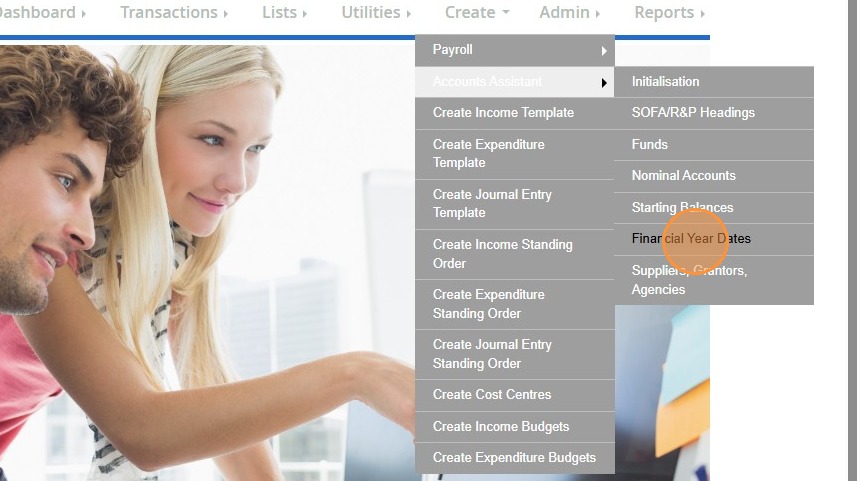
2. Click "Create"

3. Click "Accounts Assistant"

4. Click "Financial Year Dates"
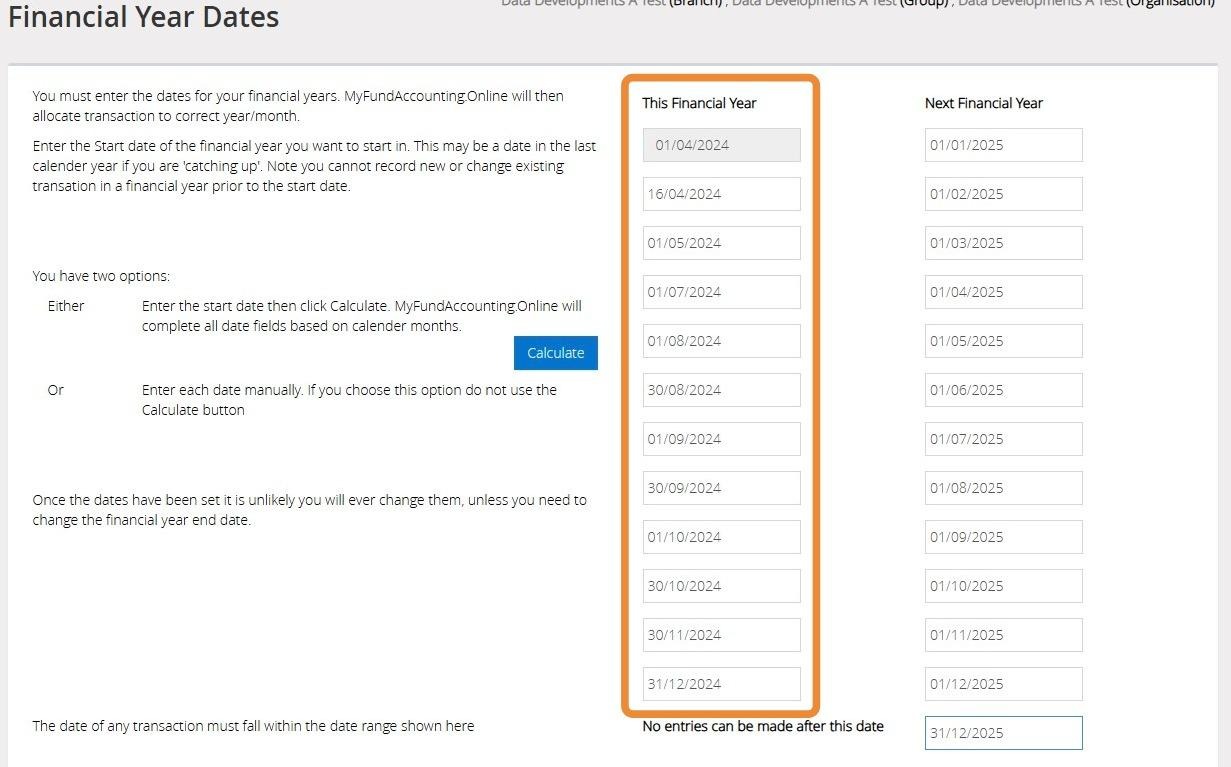
5. In the "This Financial Year" Column in the 12th box enter the last day of the financial year you wish to change to. In the below image we have changed this to "31/12/2024".
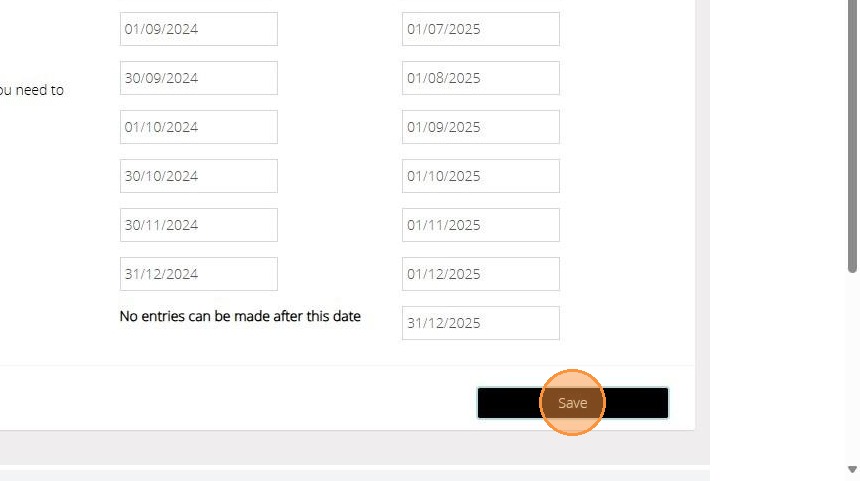
All the boxes in between the Start date and the last date of the current year will need to be adjusted to fall in between the two dates as per the below.
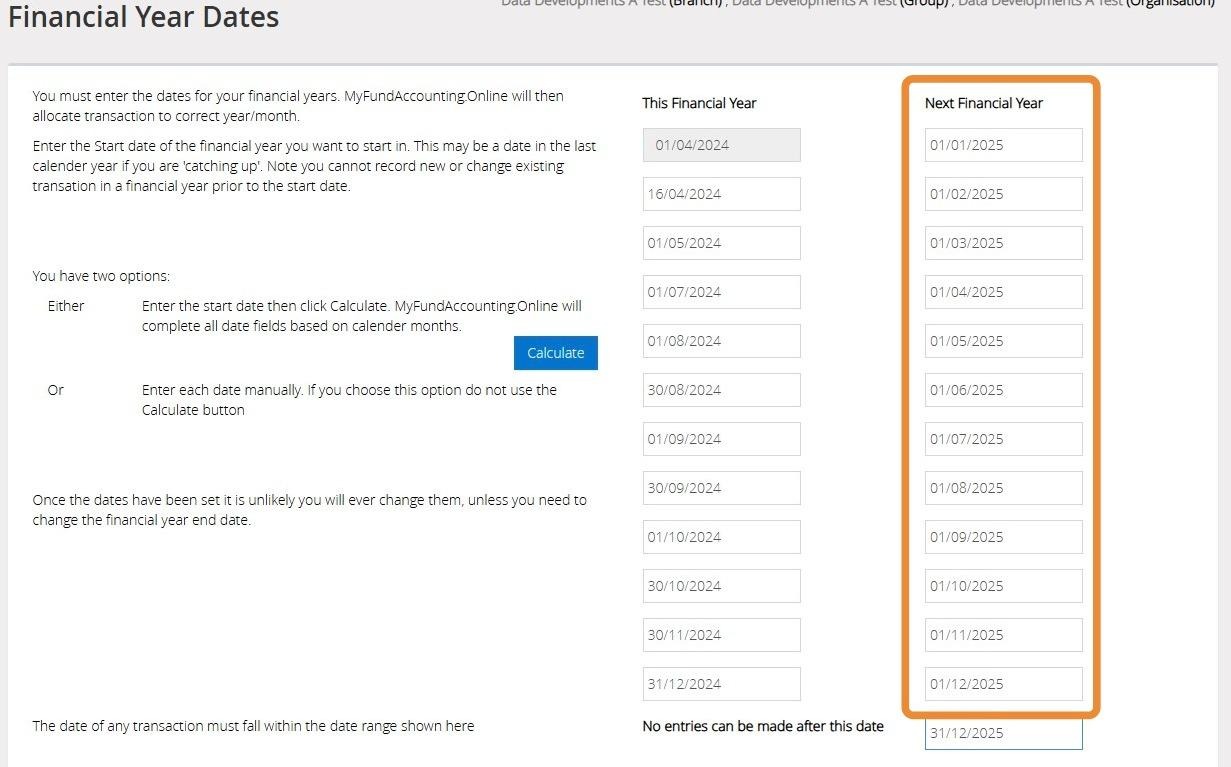
6. The "Next Financial Year" dates can now be calculated across the 12 months as per the below example.
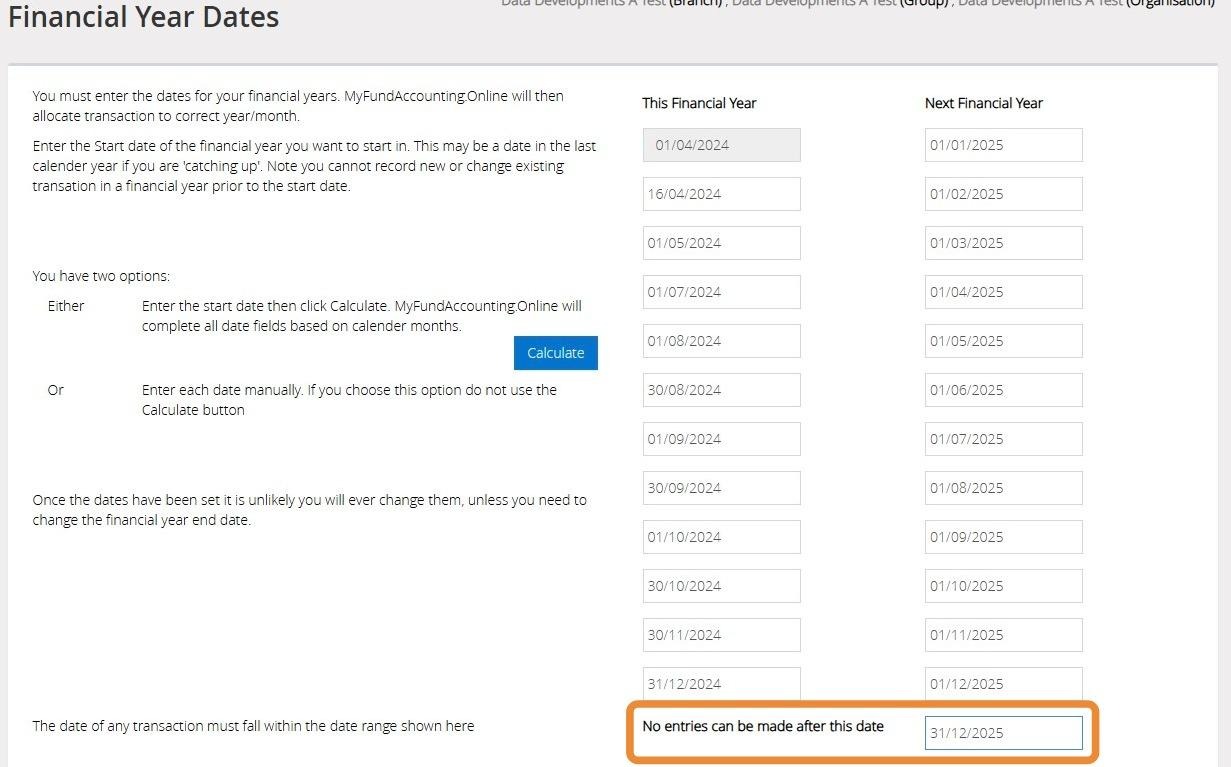
7. Ensure that the date entered here is the last day of the calendar year for the Next Financial Year.
8. Once you are ready to confirm click "Save"
9. You will see the below message once your financial year dates have been saved successfully.