Nominal Accounts Reference List
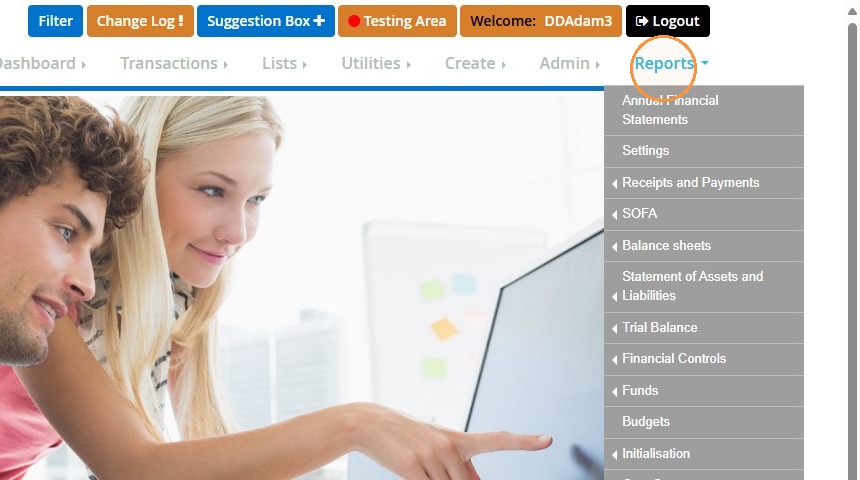
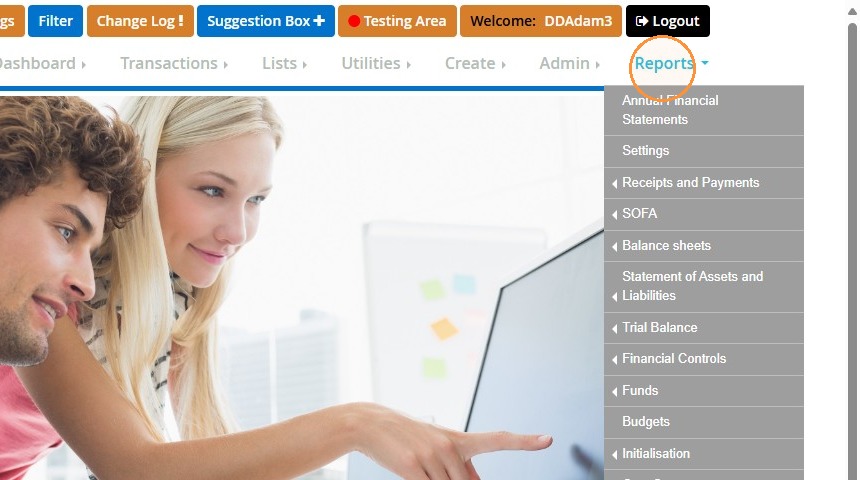
1. Hover over "Reports".
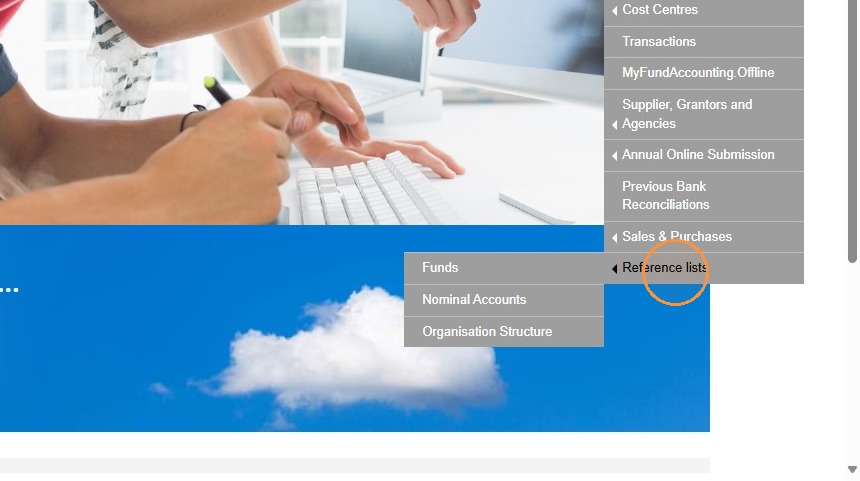
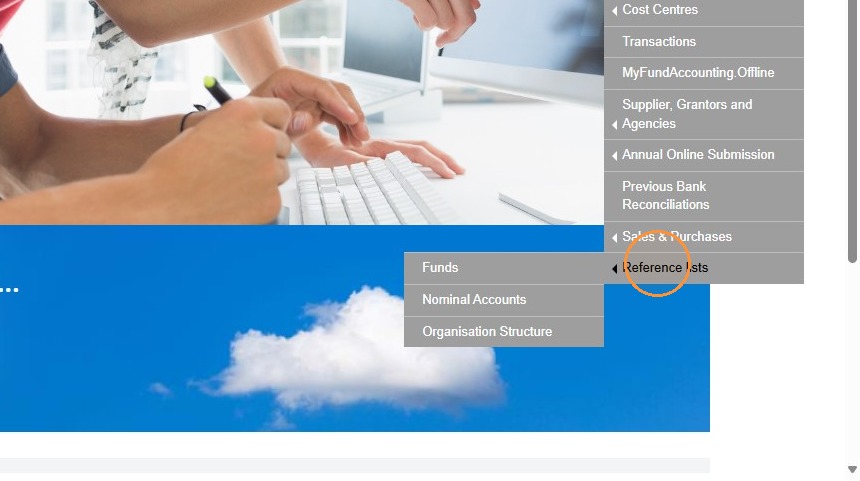
2. Choose "Reference lists" at the bottom.
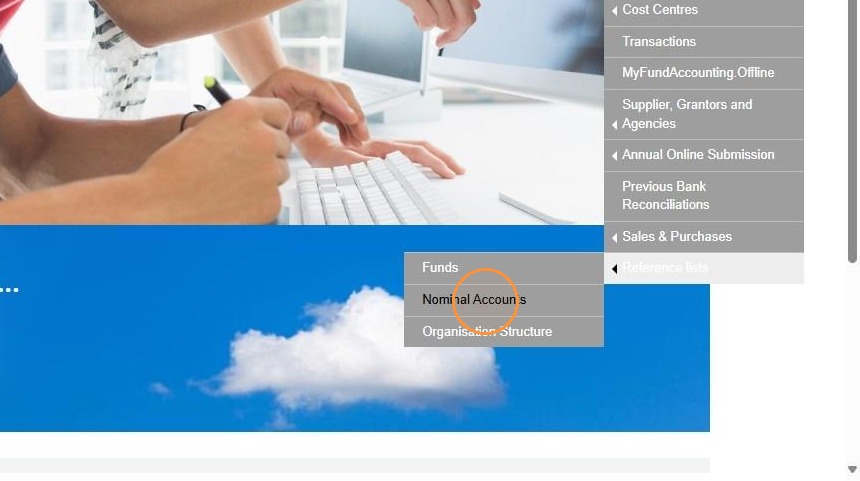
3. Select "Nominal Accounts".
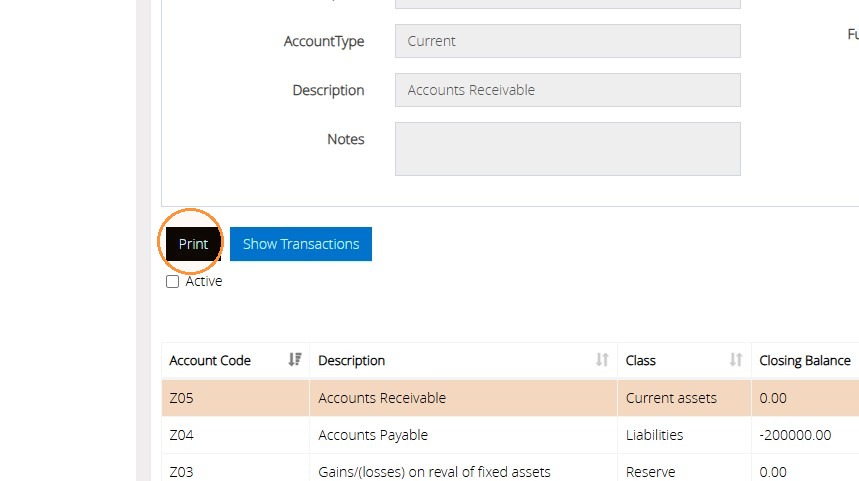
4. Afterwards click "Print".
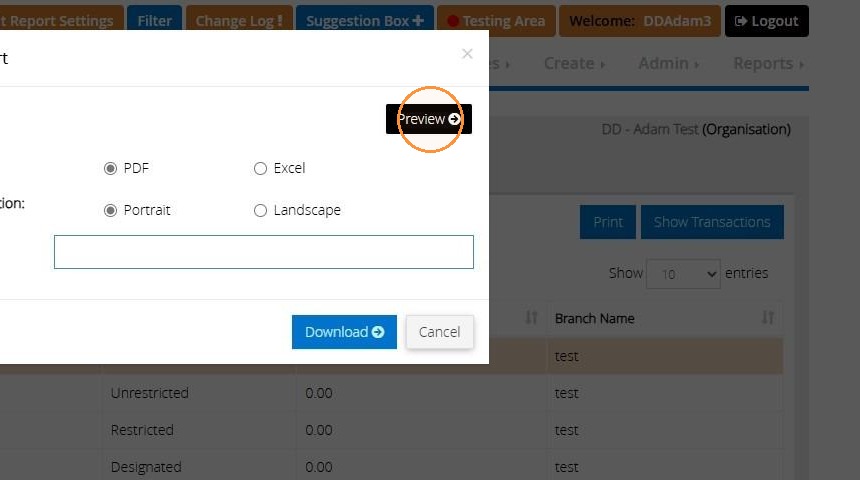
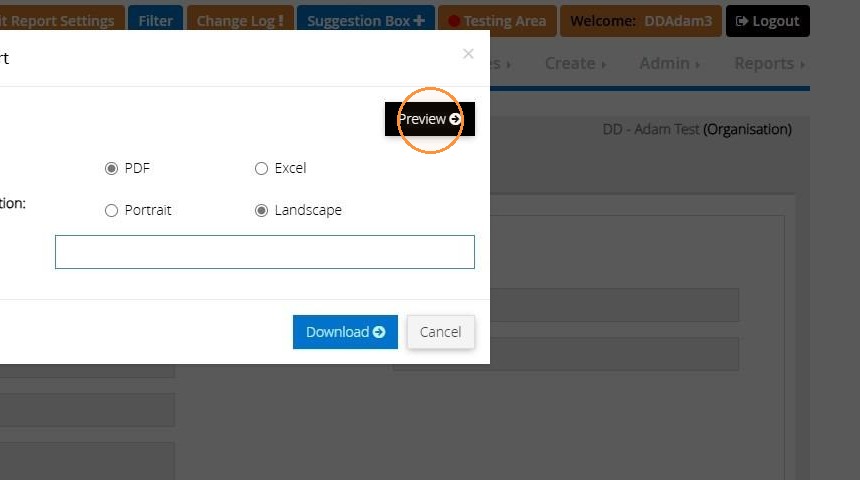
5. Then "Preview".
This will then produce a full list of the nominal accounts that you have created in the system. The report also provides the following information: Nominal account number, Nominal account description, SOFA headings and Report group.
You will also have an option to download the report into PDF or Excel.
Fund Reference List
6. Hover over "Reports".
7. Choose "Reference lists" at the bottom.
8. Select "Funds".

9. Click "Print".
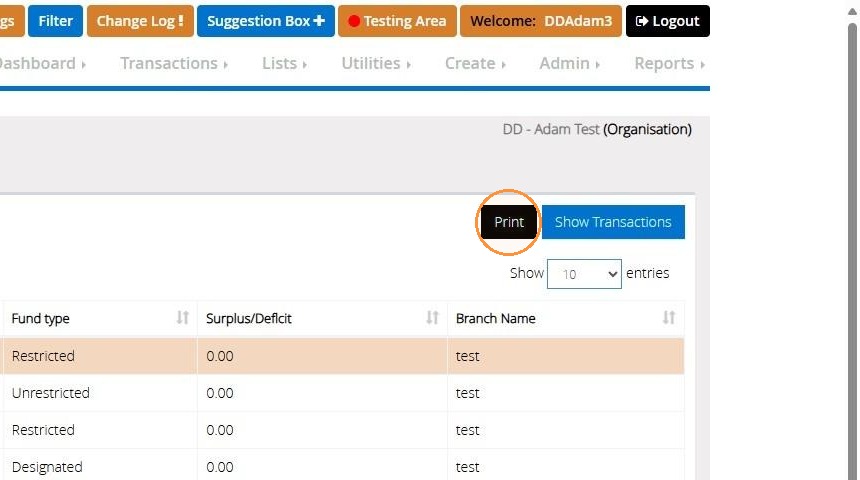
10. Then "Preview".
This will show the list of all funds created in your accounts. The report provides the following information: Fund name, Fund Description, Fund Type, and whether the fund is marked as inactive
You will also have an option to download the report into PDF or Excel.