
1. Click "Reports" menu

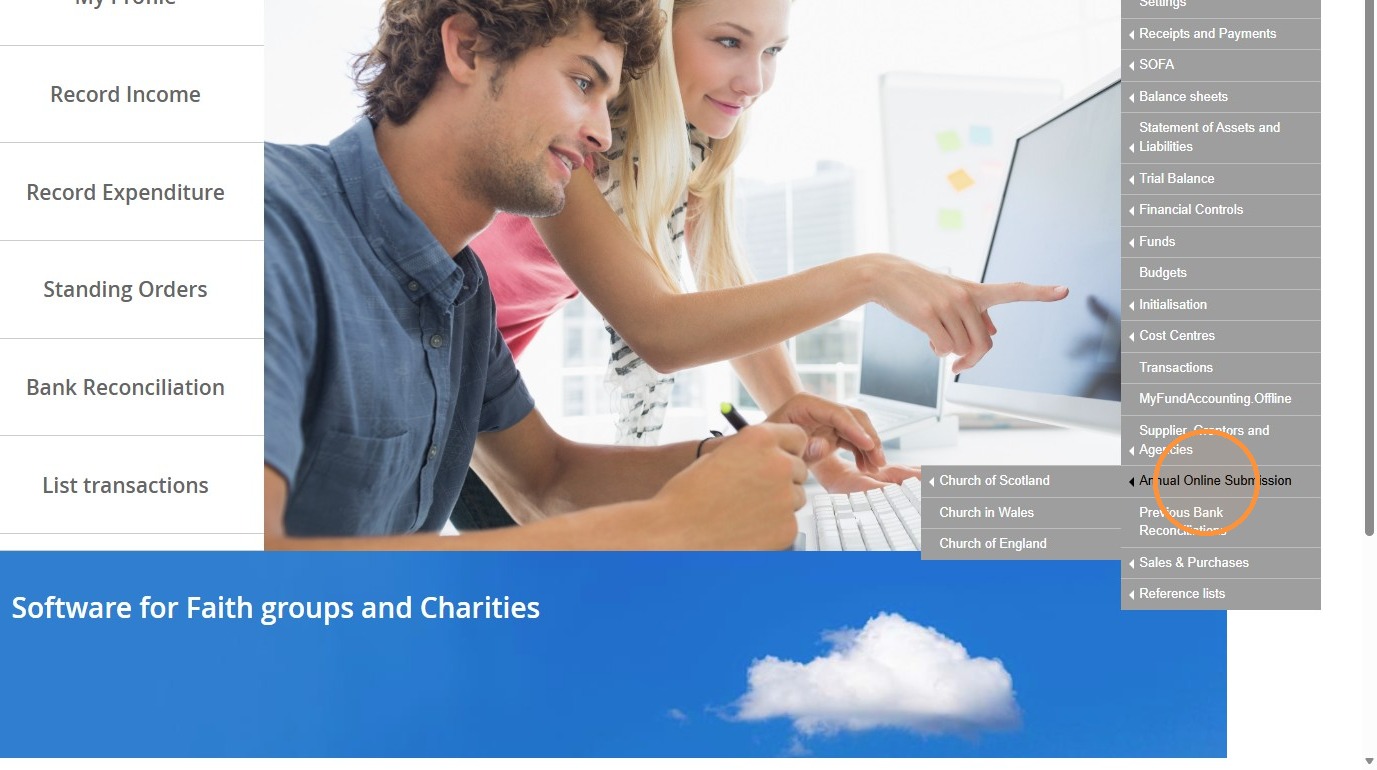
2. Click "Annual Online Submission"
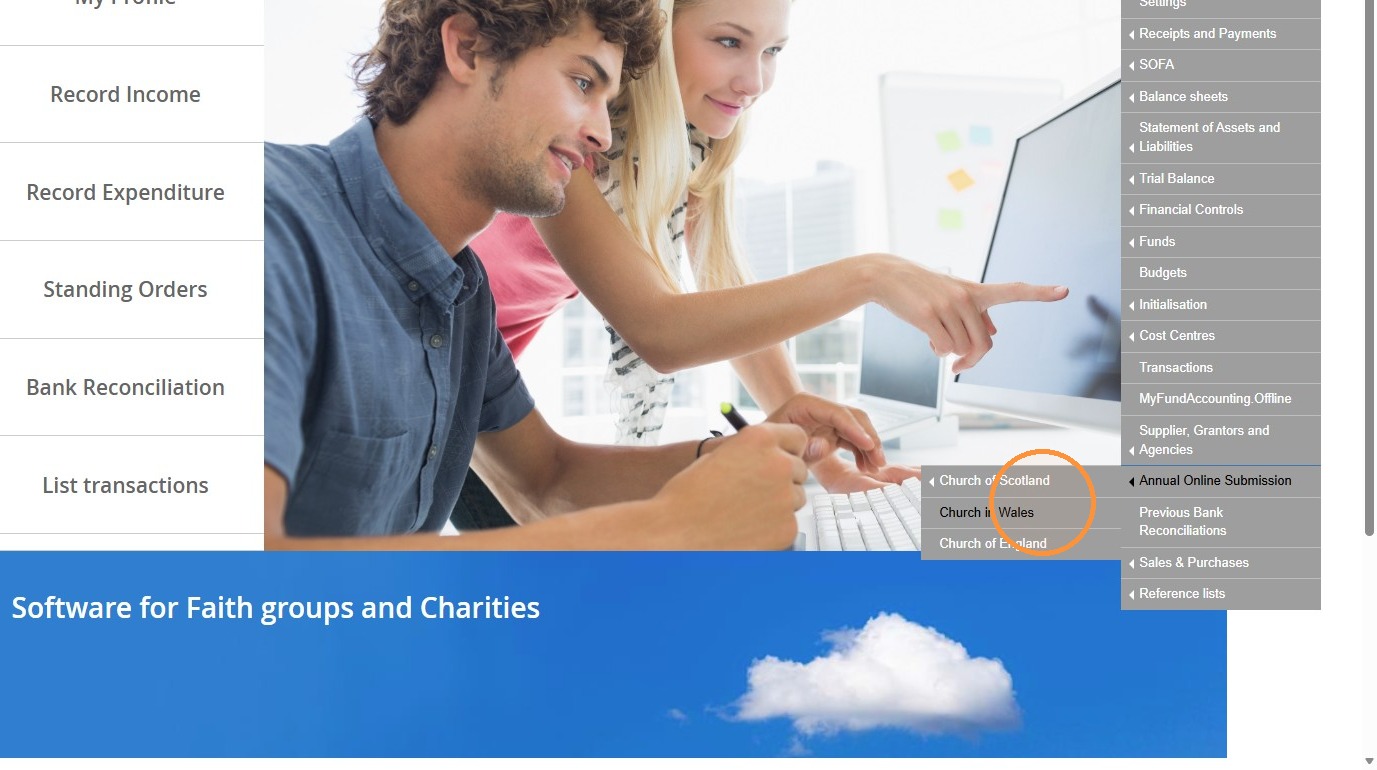
3. Click "Church in Wales"
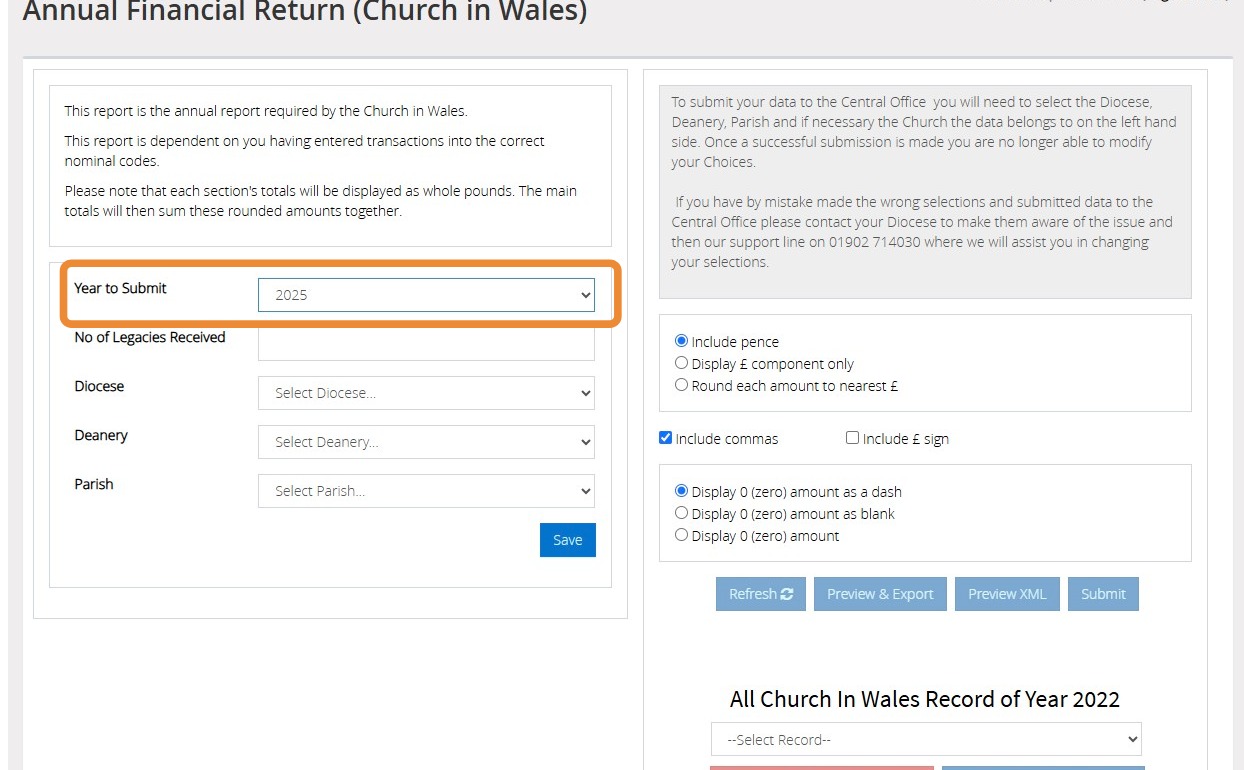
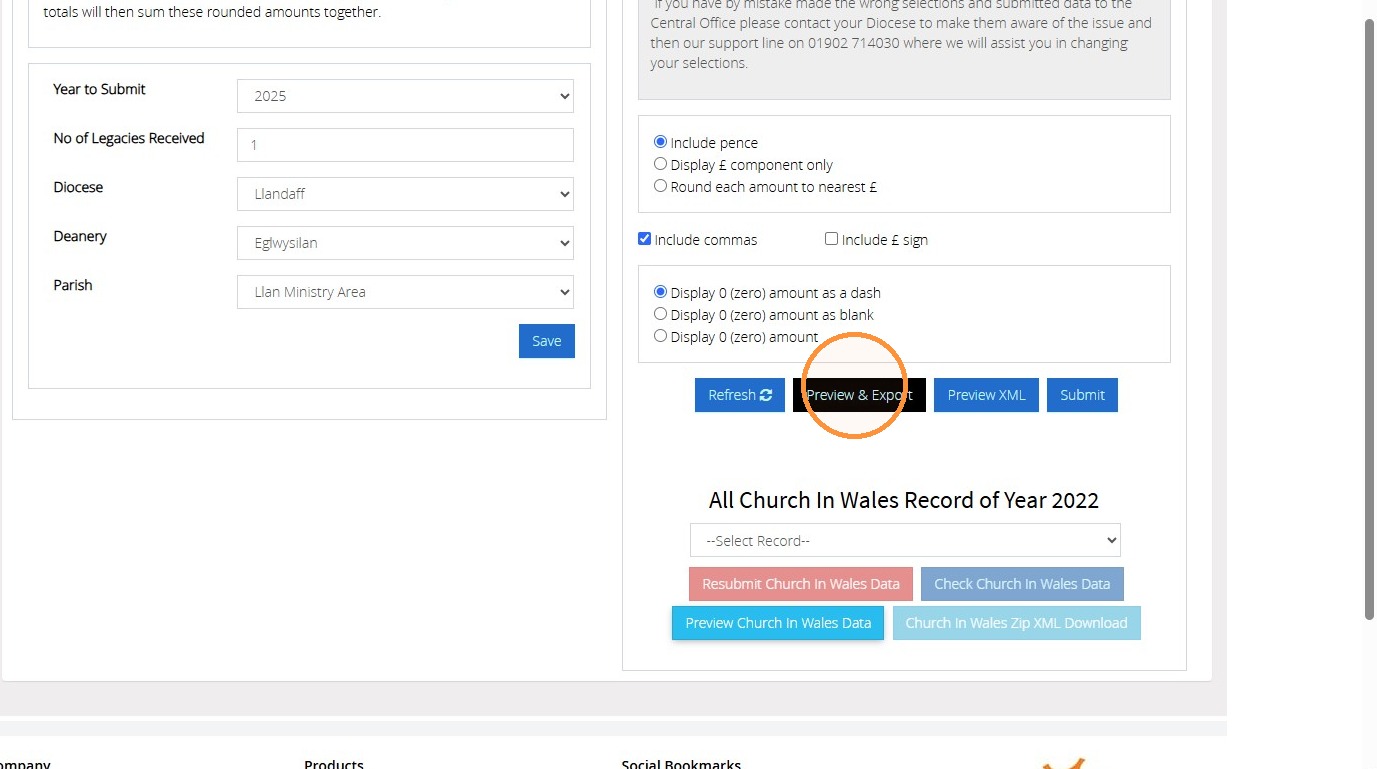
4. Select the year you wish to produce the report for
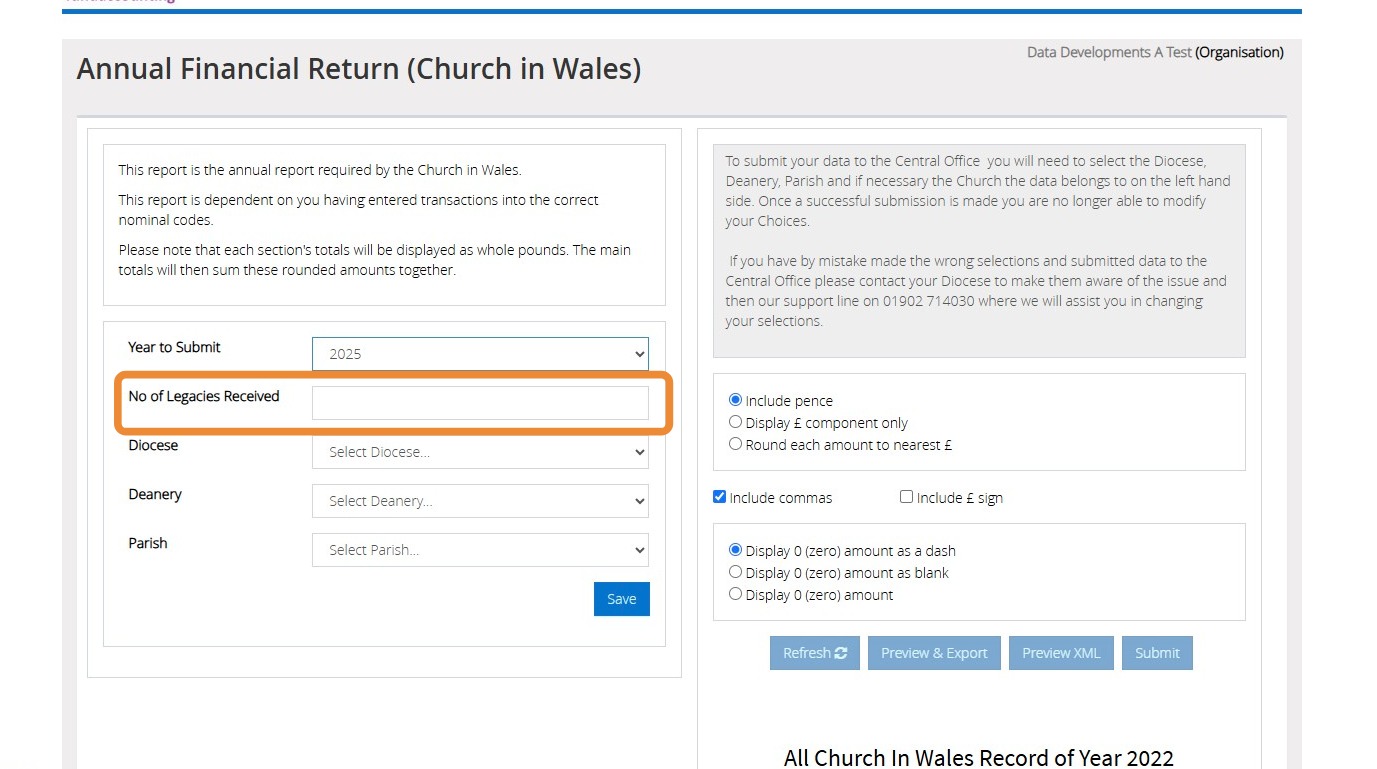
5. Enter the amount of Legacies received
6. Select your "Diocese, Deanery and Parish" from the dropdowns provided
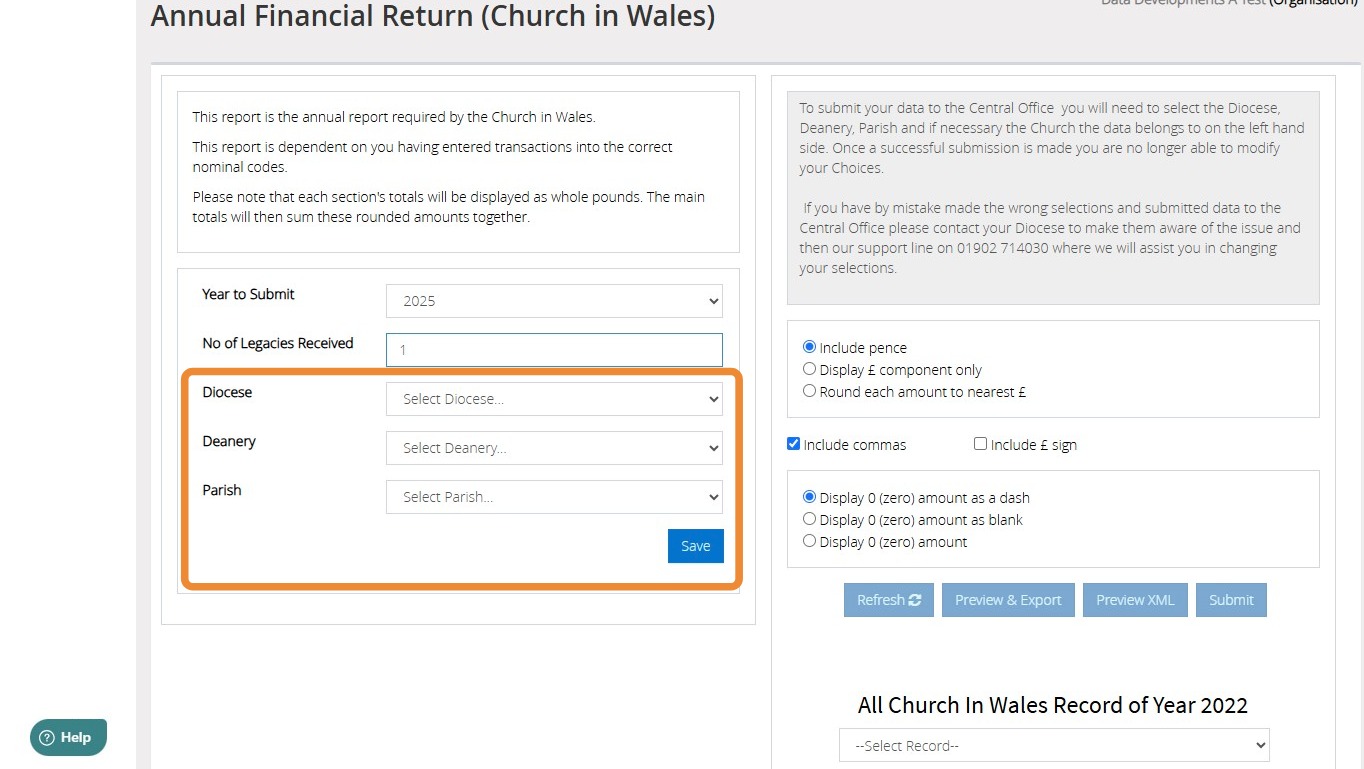
7. Click "Save"
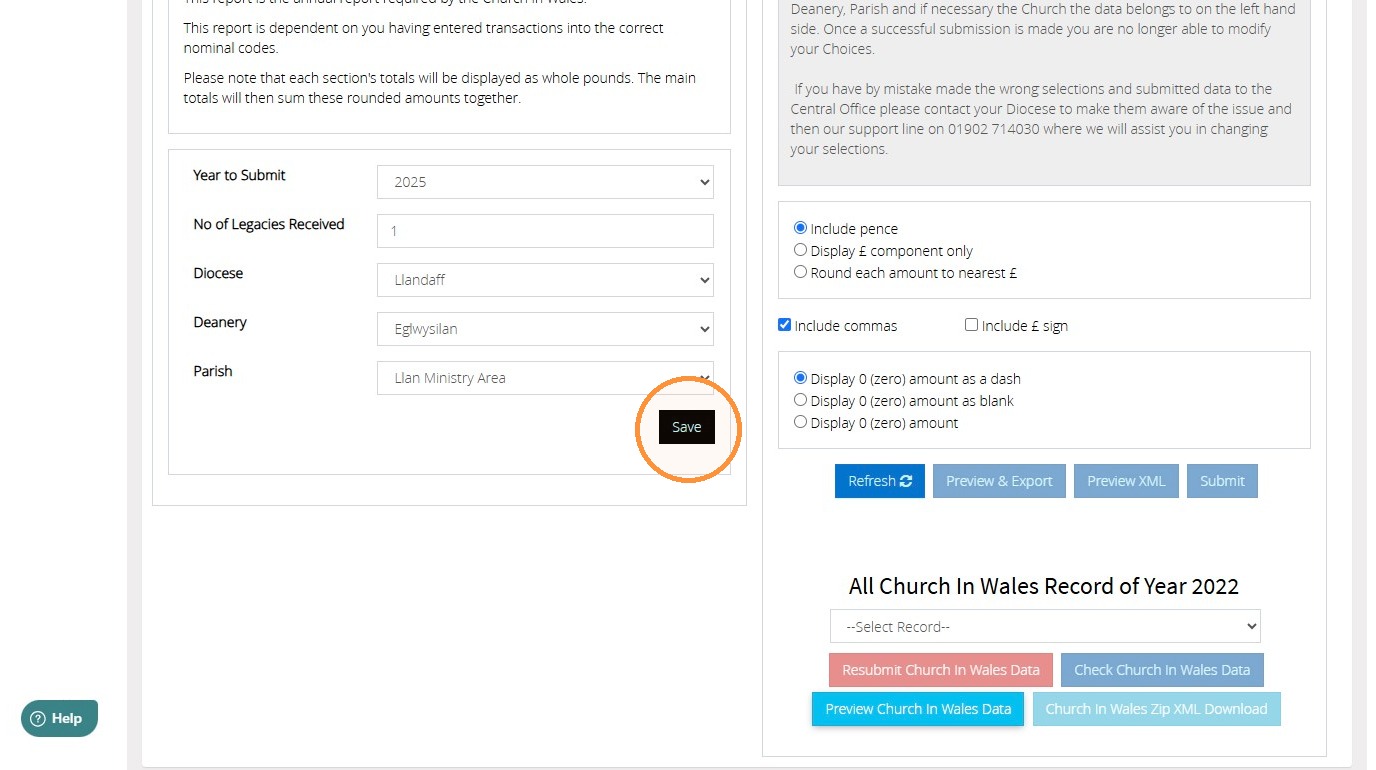
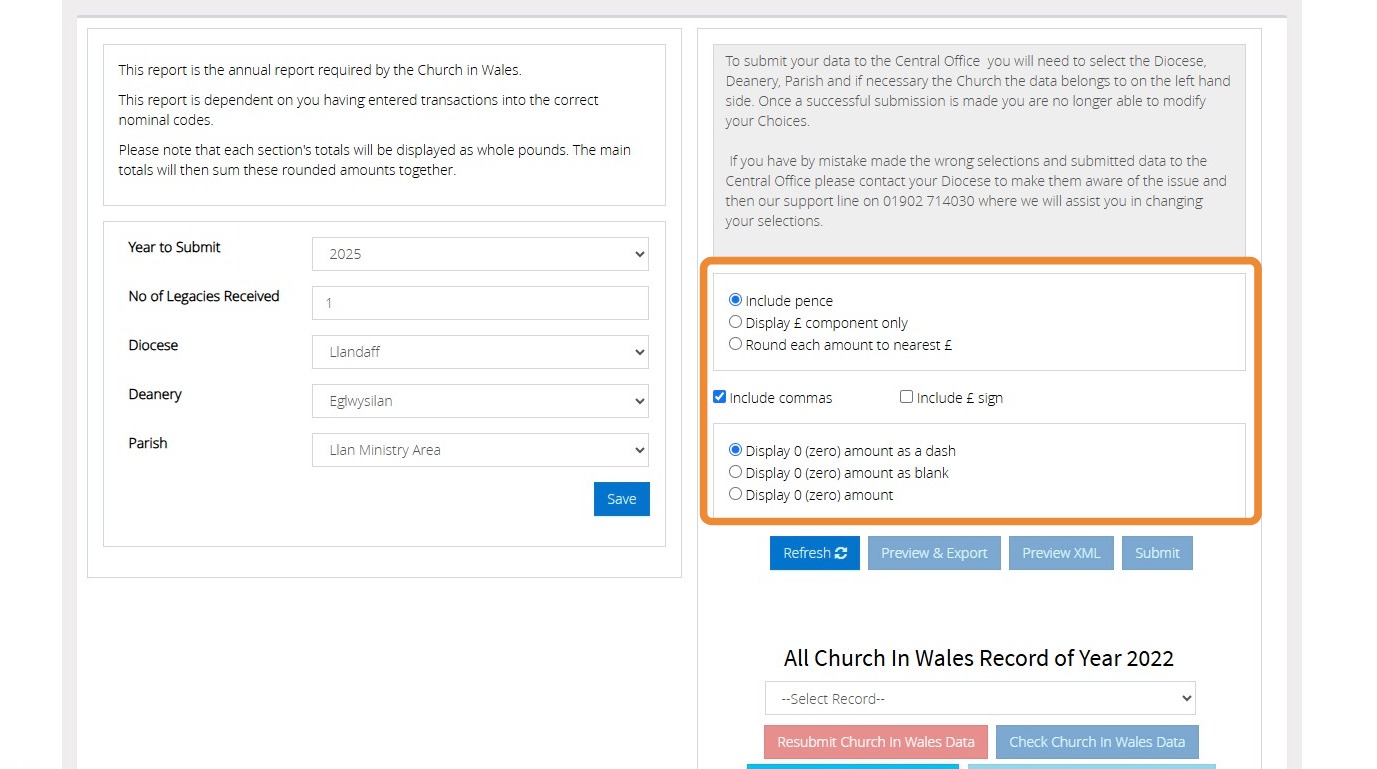
8. Make the selections that you wish to apply to the report
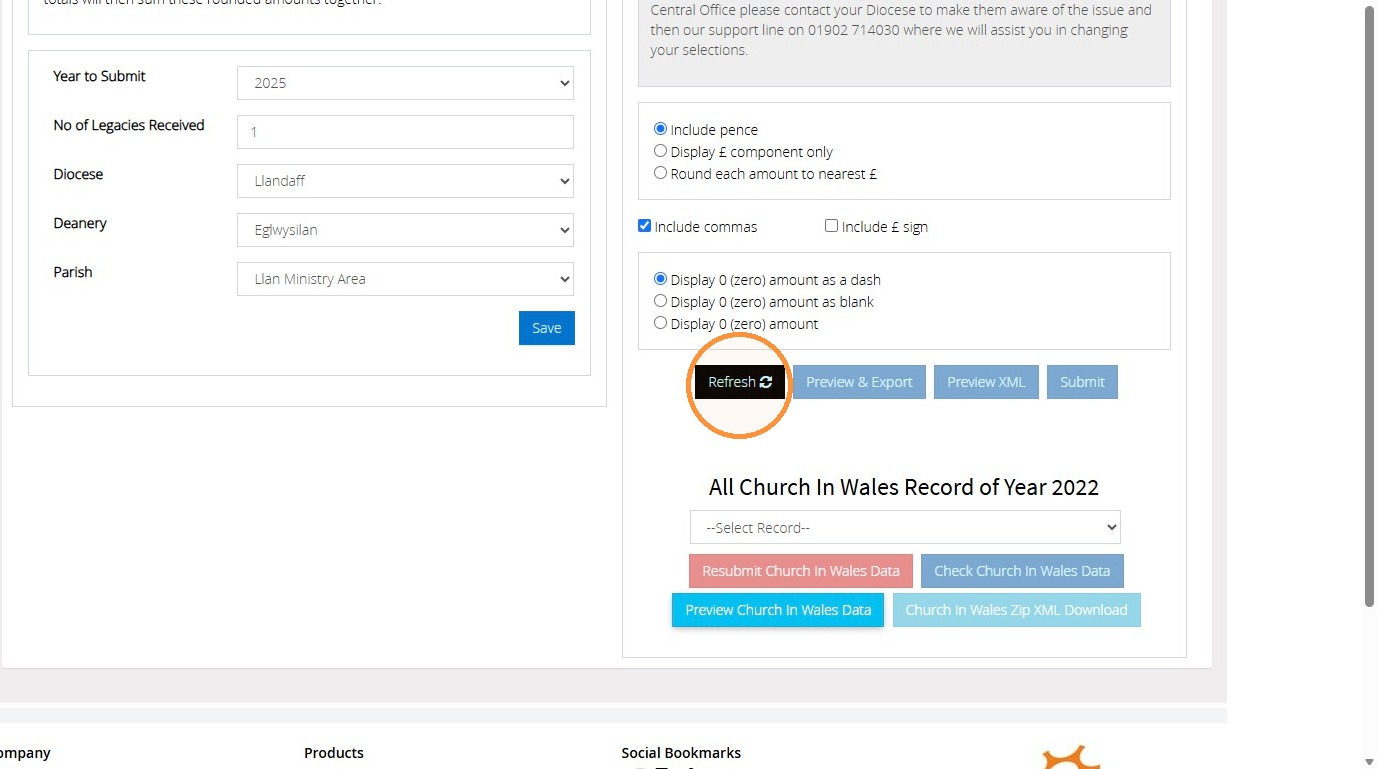
9. When ready to generate the report, click "Refresh"
10. Click "Preview & Export"
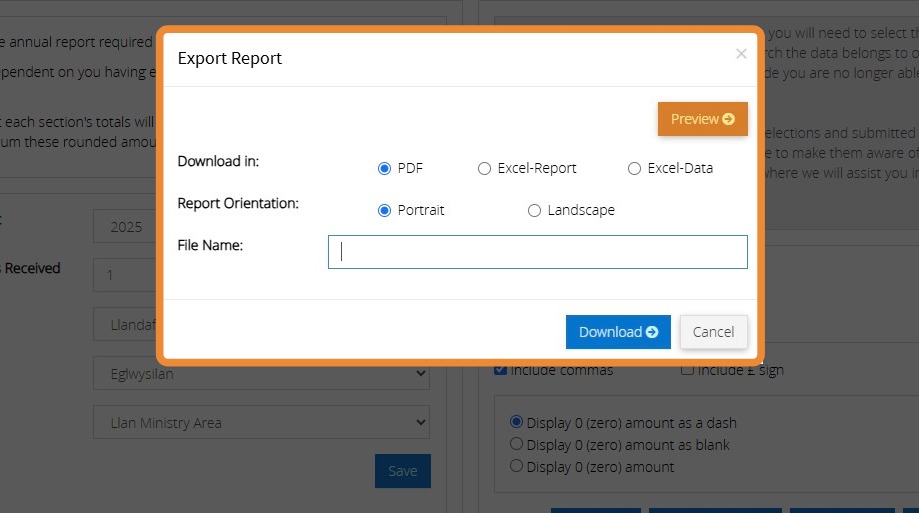
11. Here you can choose to either download the report or preview
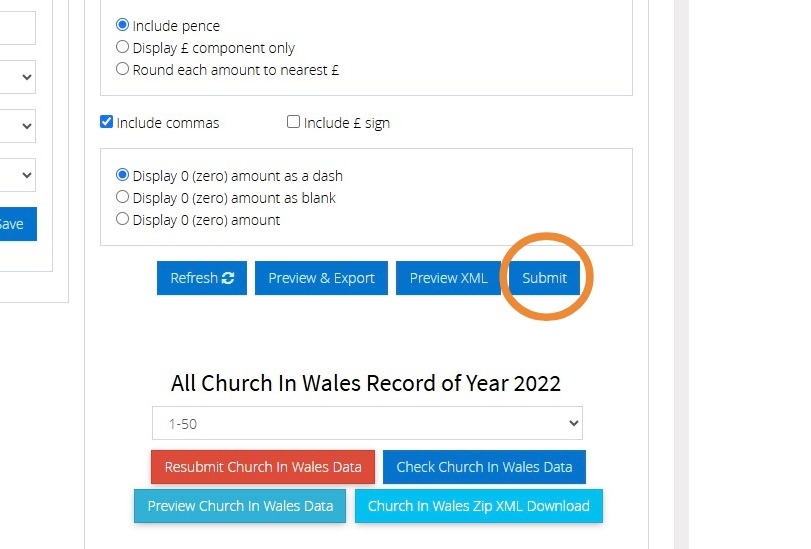
12. Once you are happy with the report, click "submit"
We hope you found this guide helpful and easy to follow. If you require any further assistance, please contact our support team by telephone on 01902 714030 or by email at support@datadevelopments.co.uk