
In MyRollCall.Online we have tried to included as many default relationship types as possible. However, if the one you wish to use isn't already available, you can easily create your own custom entries. This guide will walk you through how to create new categories and apply them to existing profiles.
1. Start by going to the MyRollCall.Online dashboard and logging in to your accounthttps://www.myrollcall.online/dashboard

Creating a New Relationship Type
2. Click 'Admin'.

3. Click 'Master Tables'.
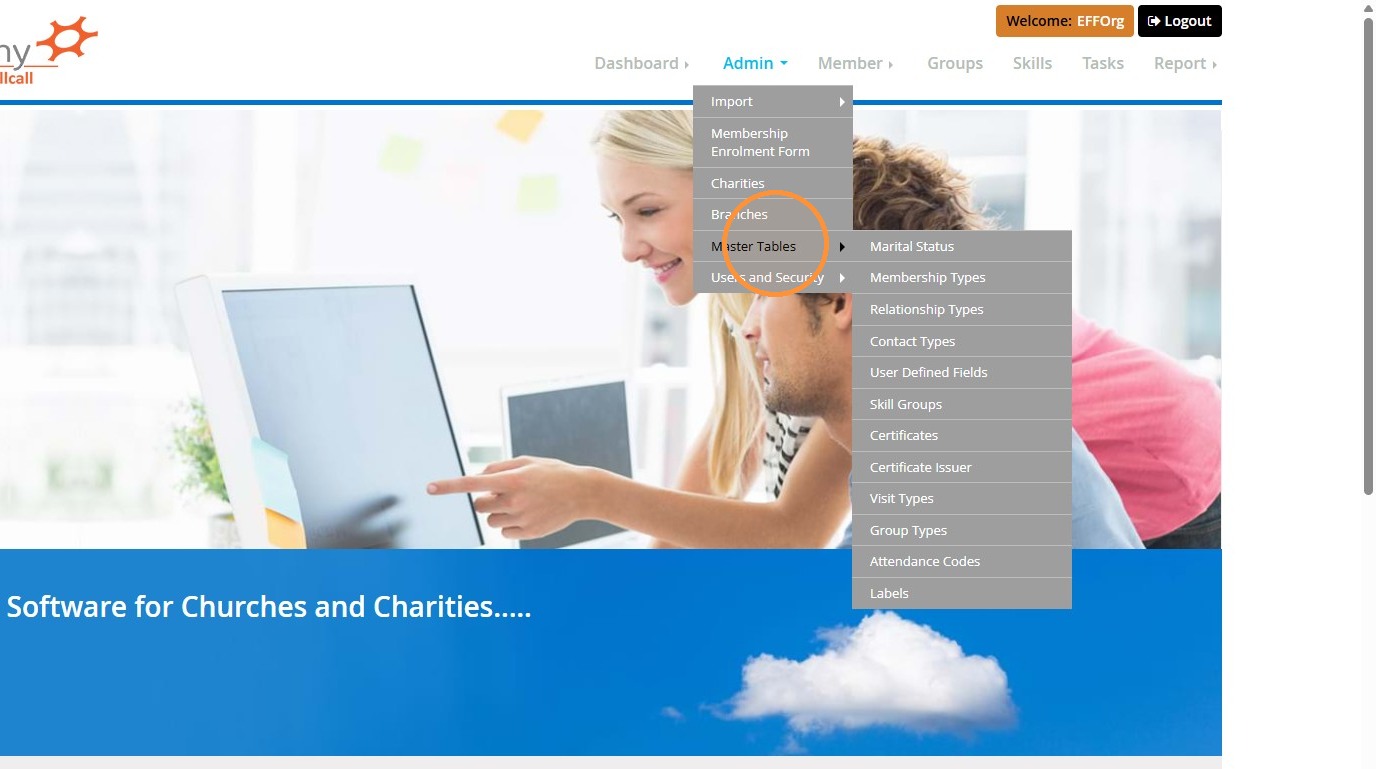
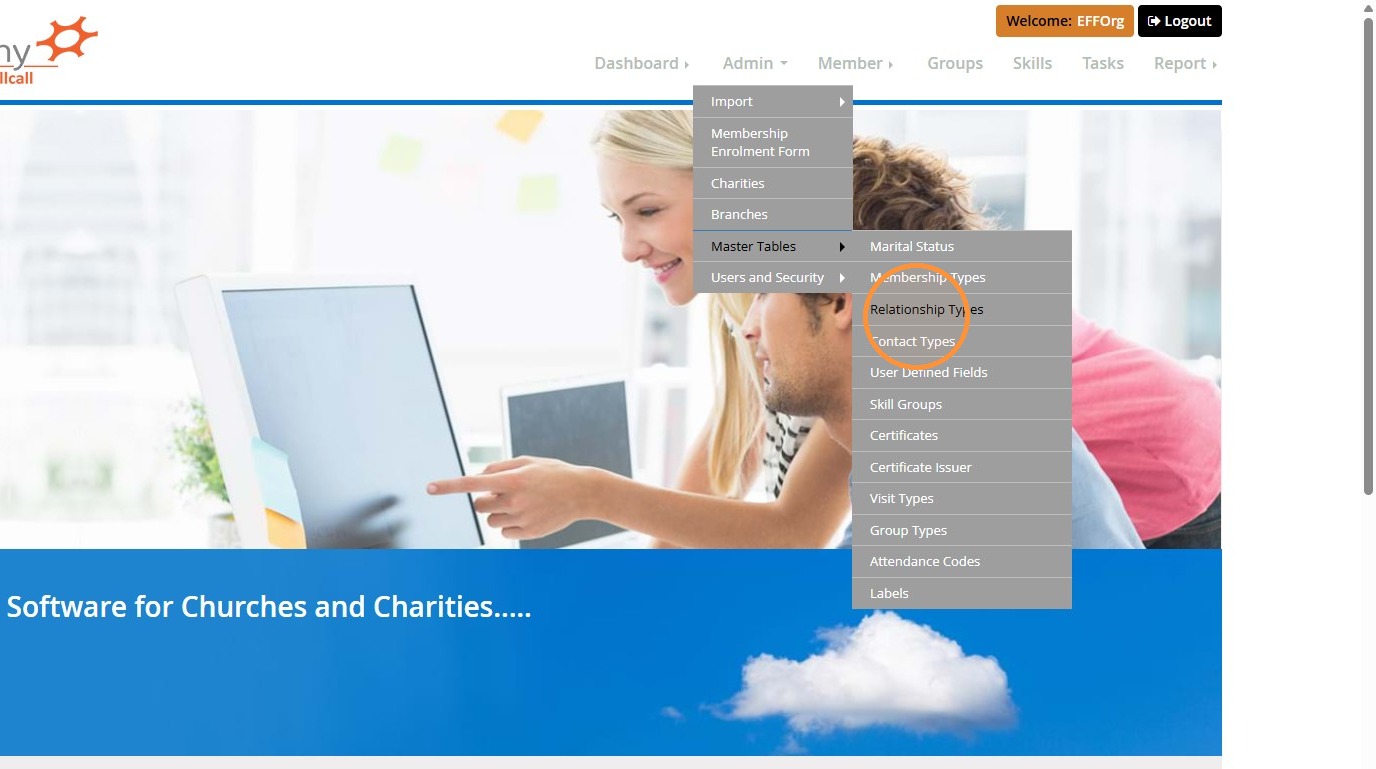
4. Click 'Relationship Types'.
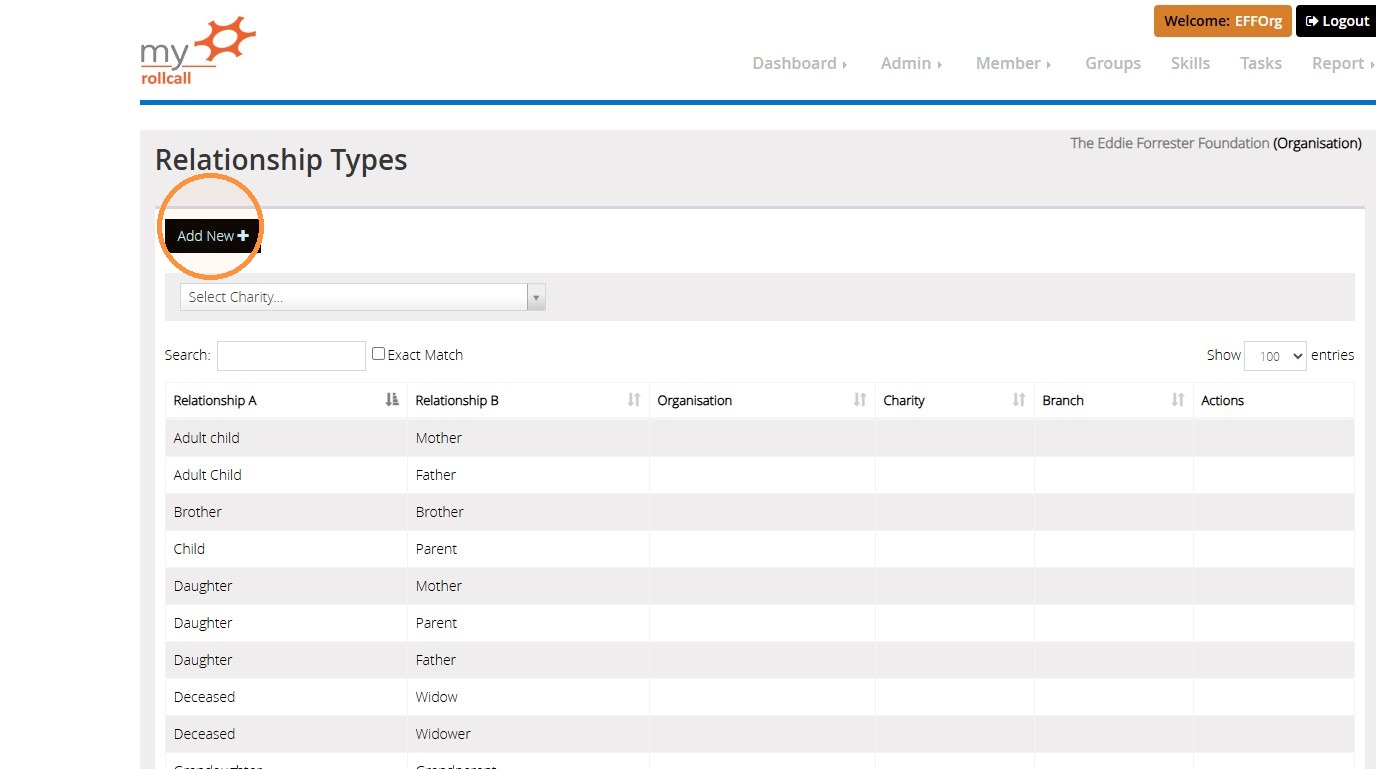
5. Here you will see a list of the default relationships that are already set up in MyRollCall.Online.
To create a new entry, click 'Add New'.
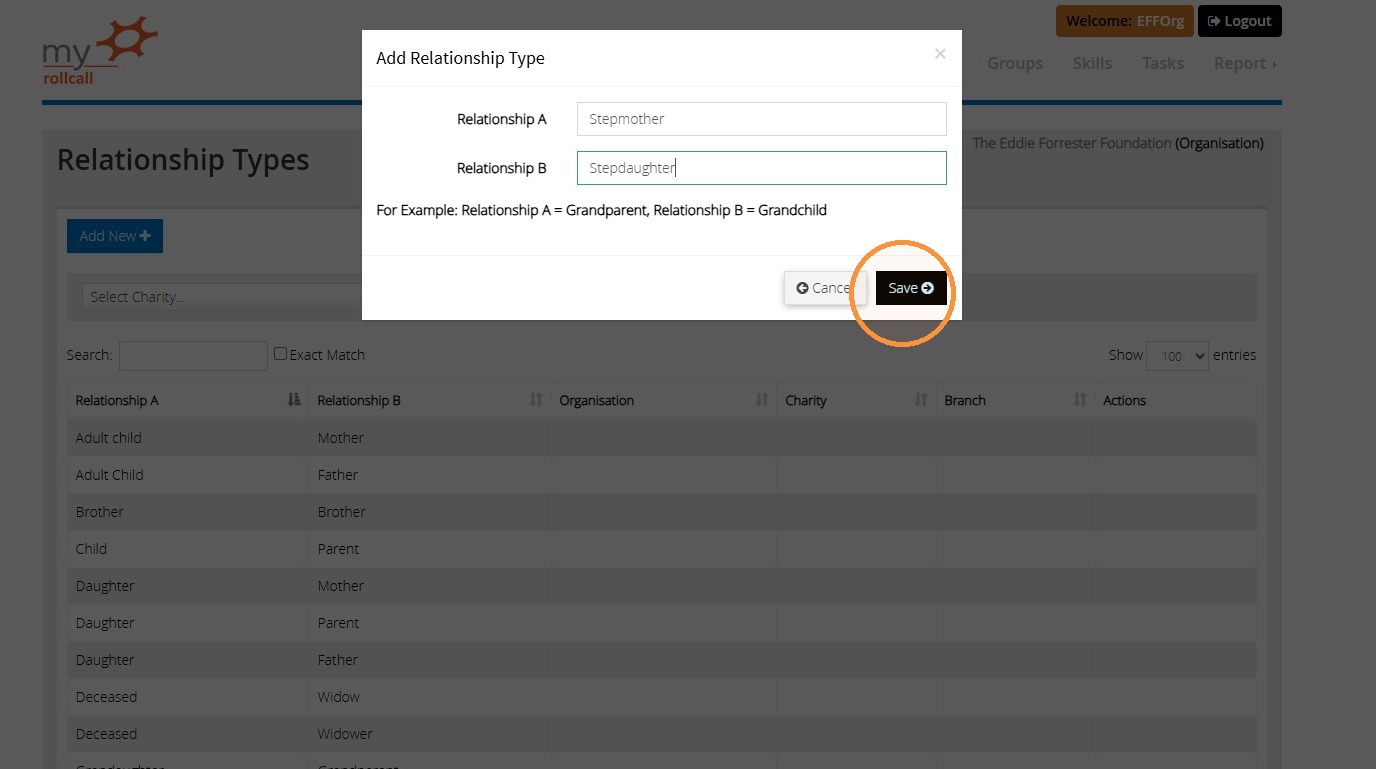
6. Enter both elements of the relationship you wish to create. In our example below, we are creating a relationship for a stepmother and a stepdaughter.
Once entered, click 'Save'.
Adding this new relationship to an existing record.
7. Now that you have created this new relationship, you can assign it to new records at the point of setting them up. Or, if the record is already created, you can assign it by following these steps:
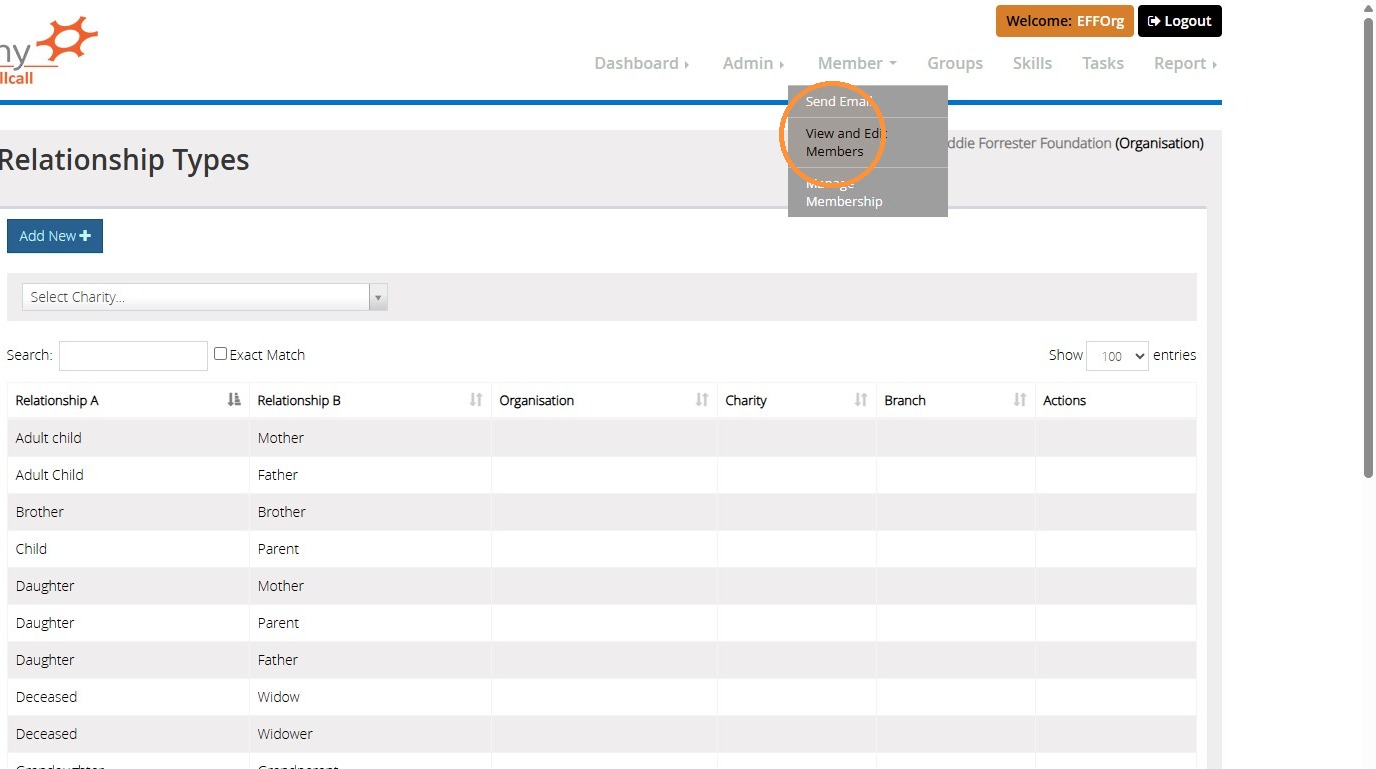
Click on the 'Member' dropdown menu, then click 'View and Edit Members'.
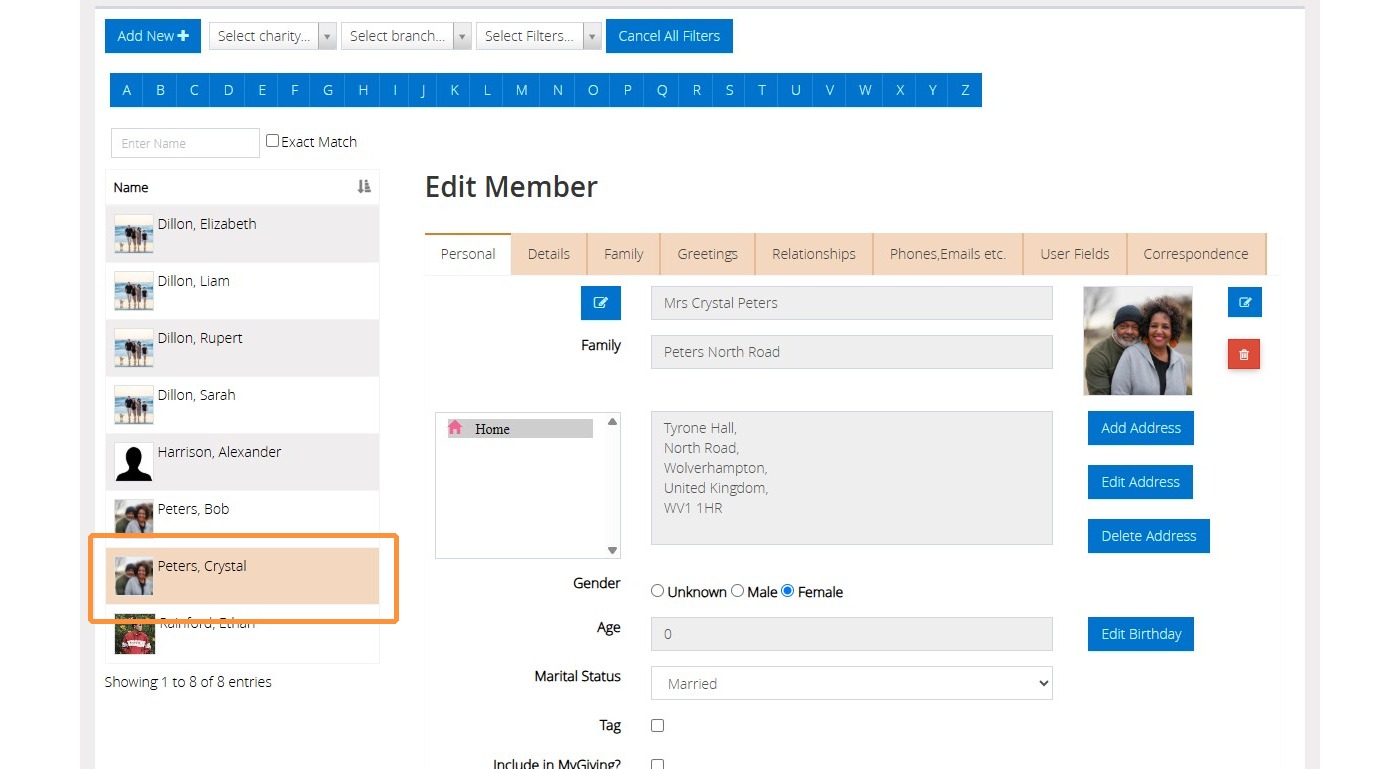
8. Using the sidebar, navigate to the record you wish to update.
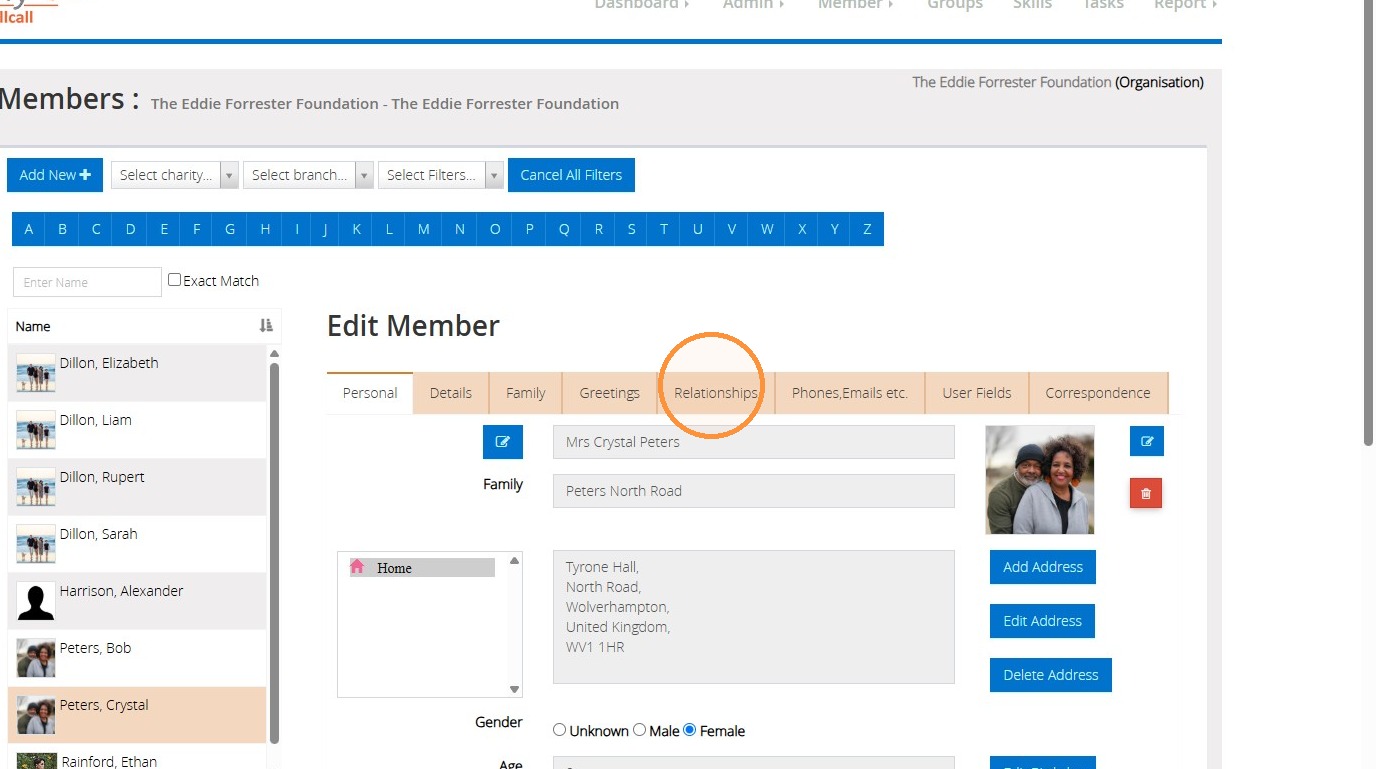
9. Click the 'Relationships' tab.
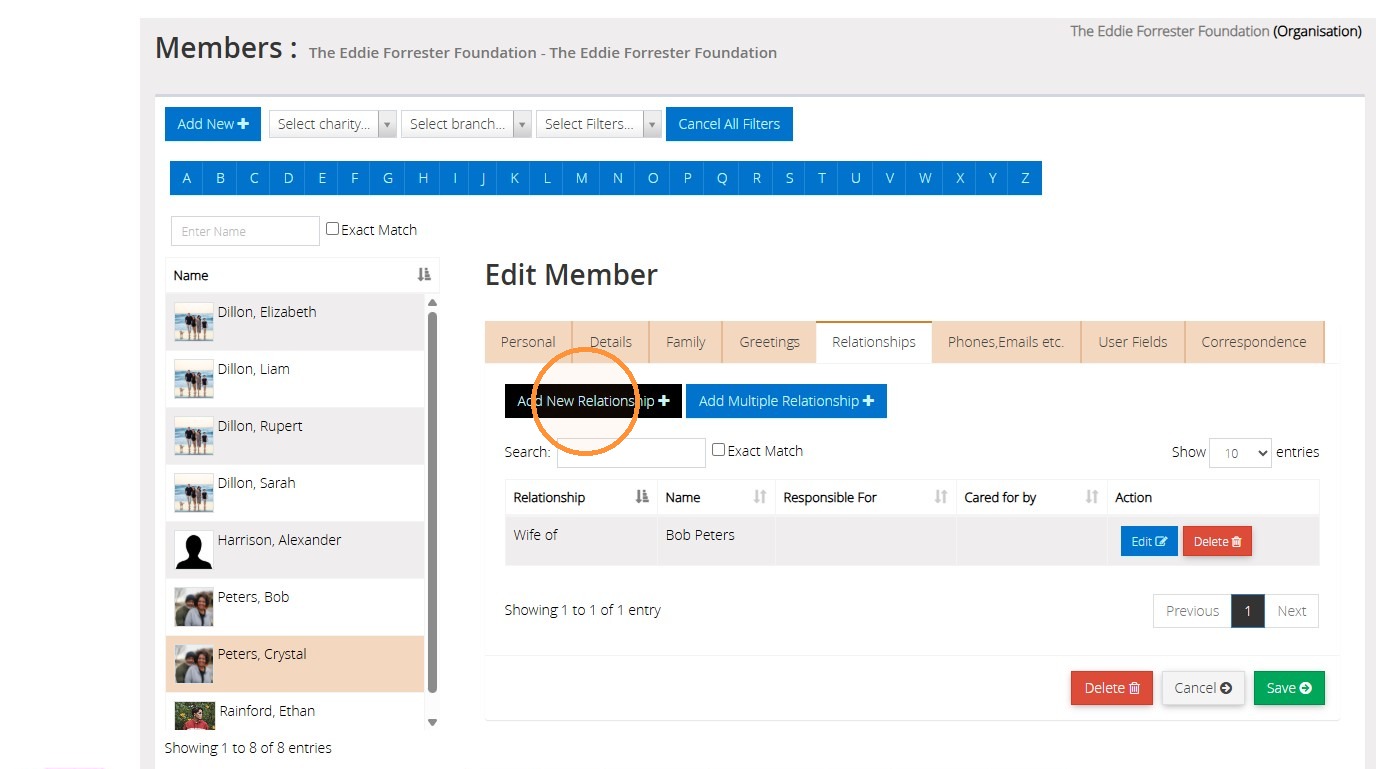
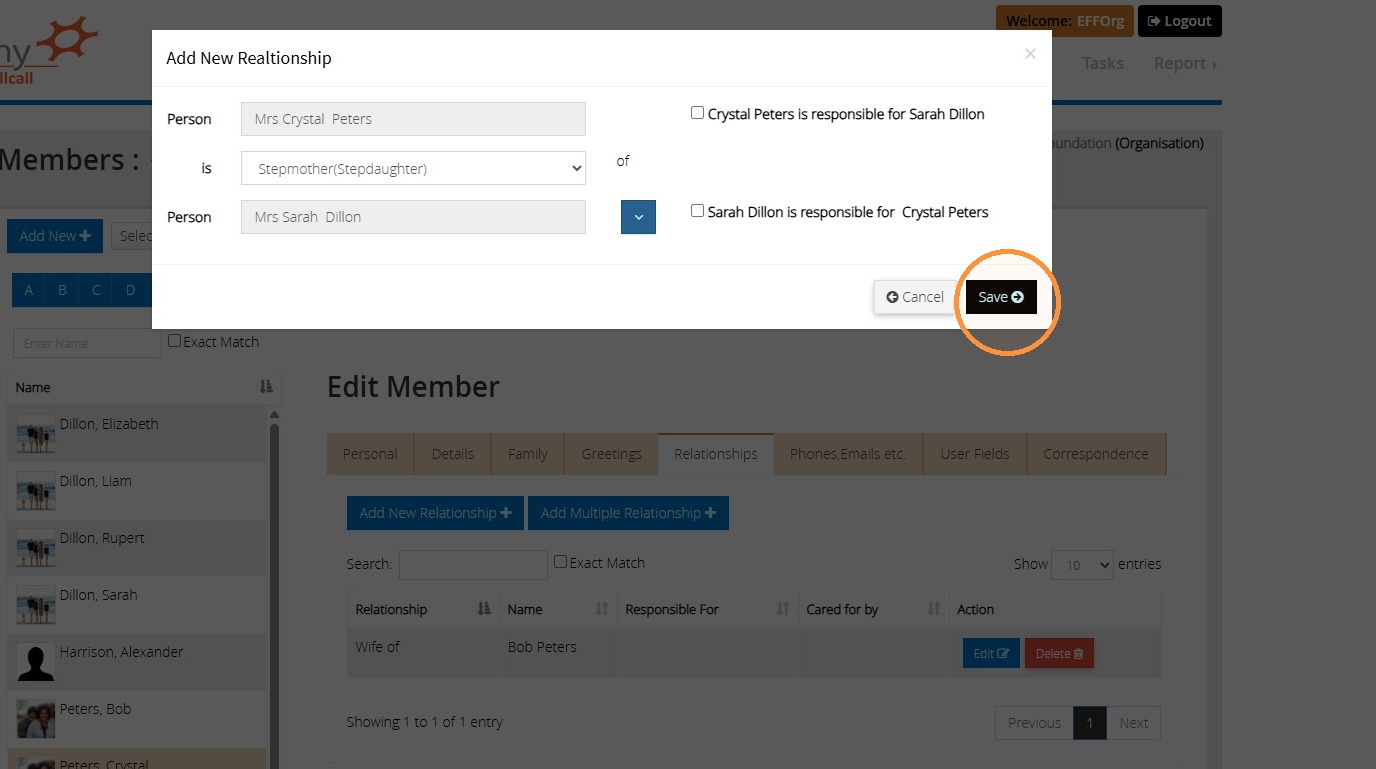
10. Click 'Add New Relationship'.
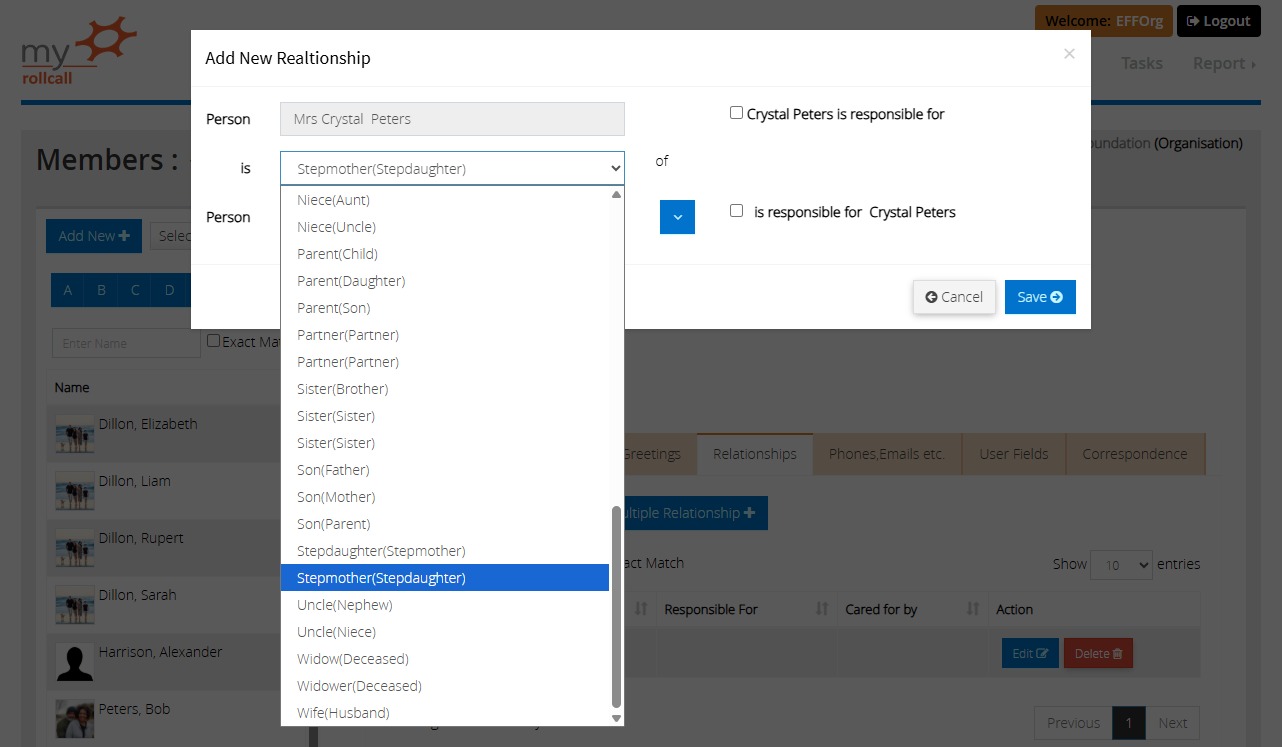
11. Clicking on the 'Is' dropdown list, you will see the relationship you have just created. MyRollCall.Online will automatically create both variations of the relationship, e.g. 'Stepmother(Stepdaughter)' and 'Stepdaughter(Stepmother)', so you only need to input the details once.
In our example below, we are going to select the "Stepmother(Stepdaughter)" option.
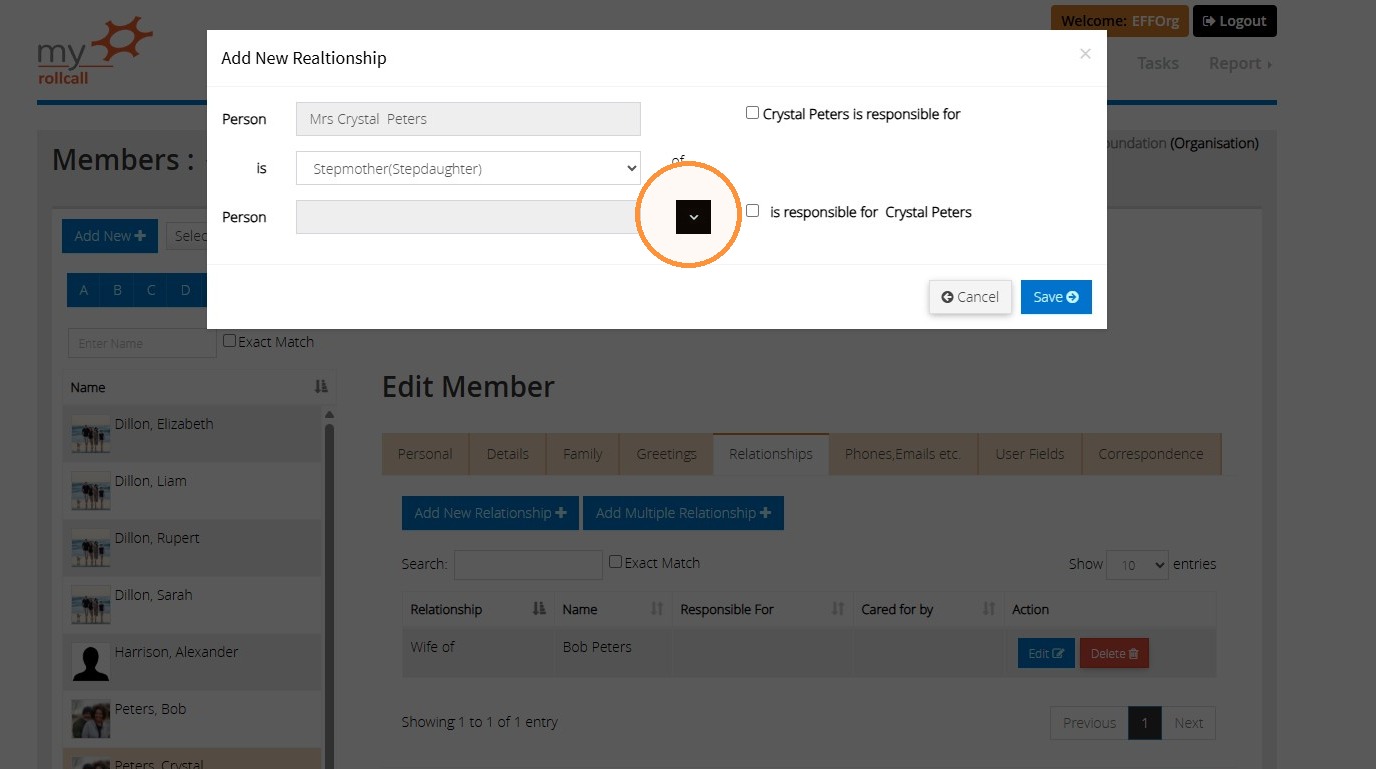
12. Click on the blue arrow to select which other individual this relationship should be established with.
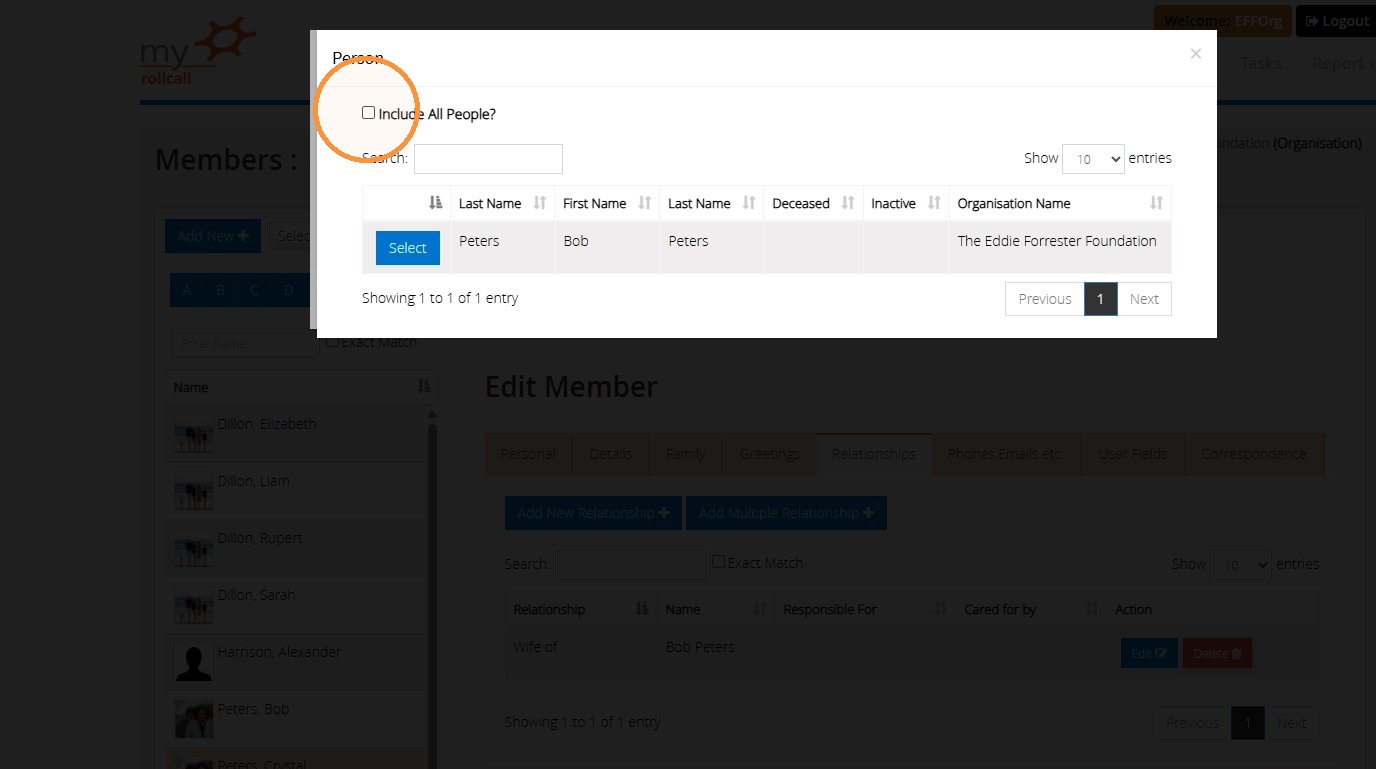
13. Here it will list all members of this person's family. If the person you wish to select is not part of the same family (for instance, they live separately), click the 'Include All People?' field. This will show all the active records you have entered into MyRollCall.Online.
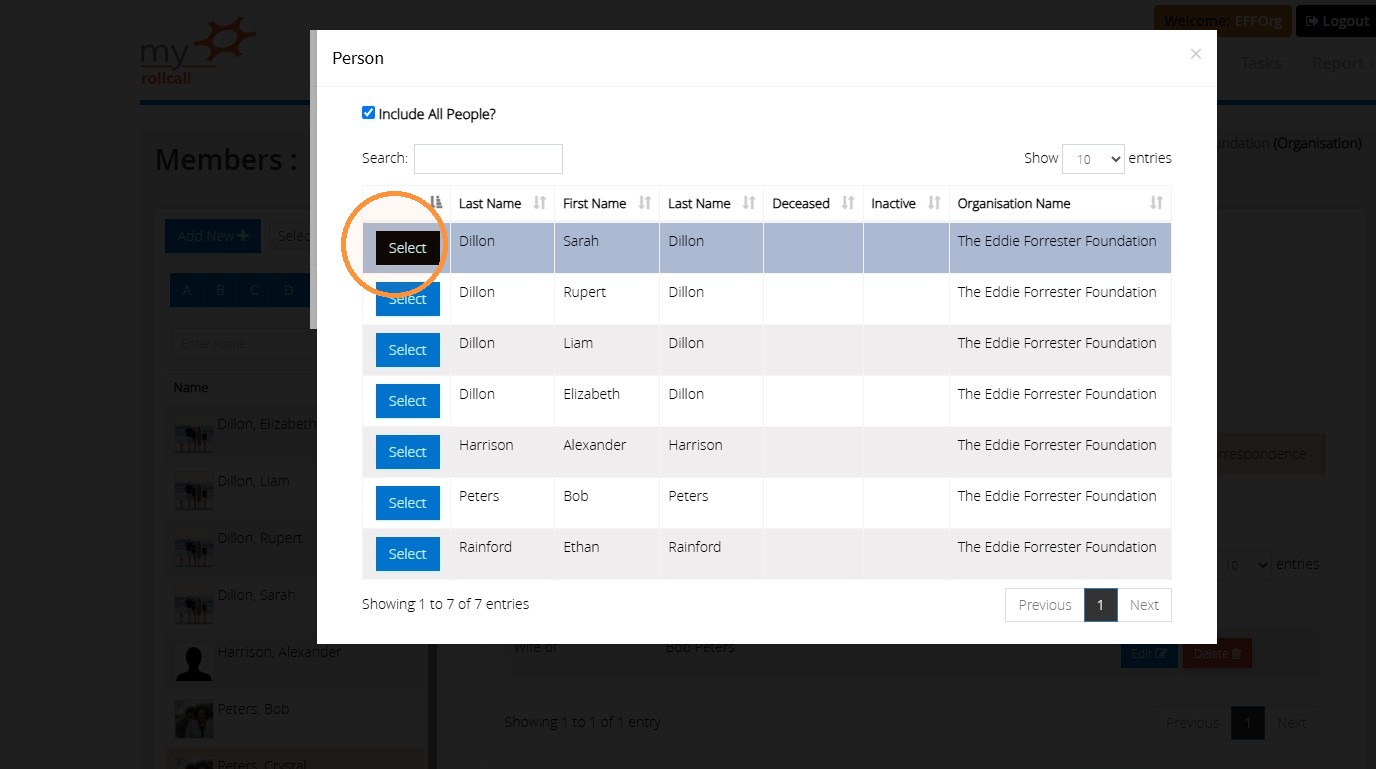
14. Click 'Select' besides the record you wish to use.
15. Once completed, click 'Save'.
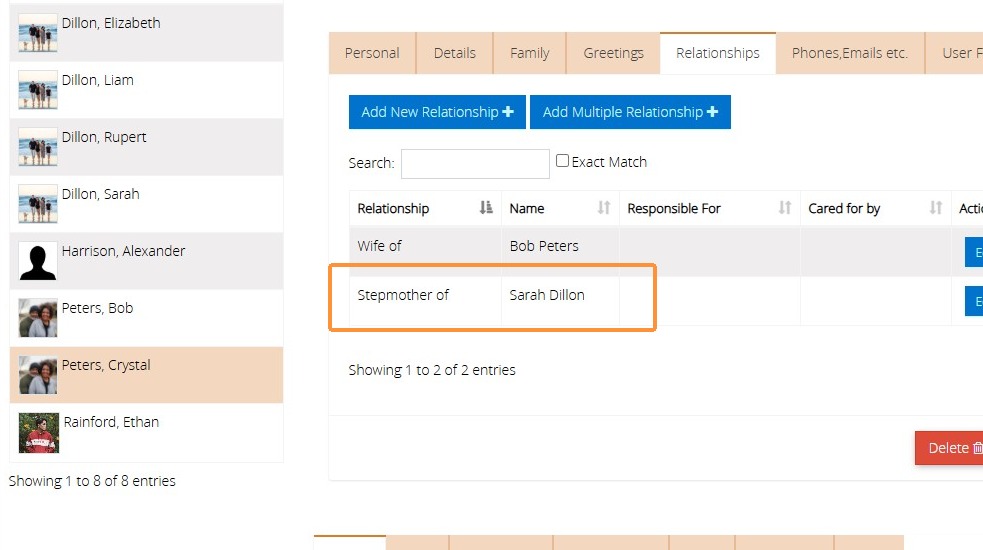
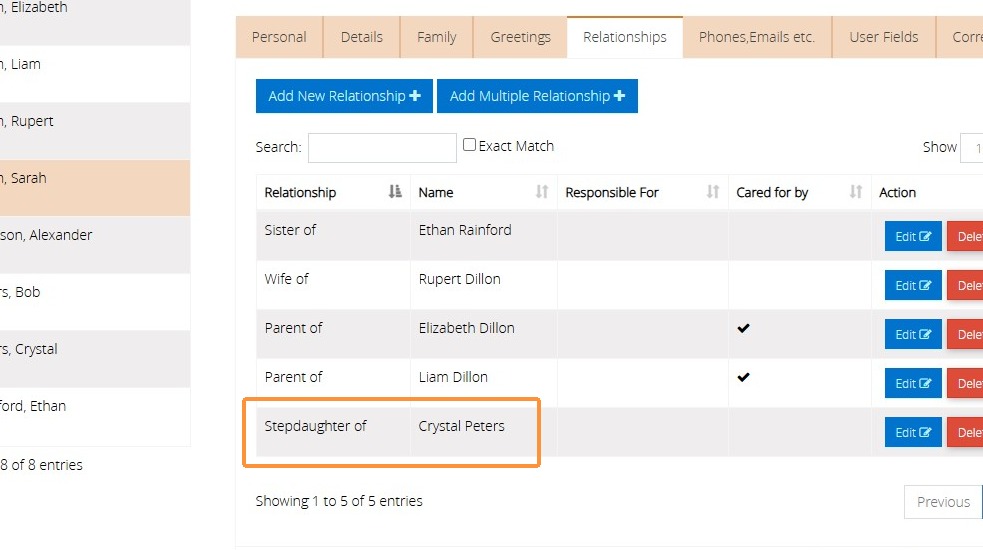
16. The relationship will now be listed on both individuals' records under the 'Relationships' tab.
In our example below, you can see that it is informing us that Crystal is the stepmother of Sarah.
17. On Sarah's record, it informs us that she is the stepdaughter of Crystal.
We hope you found this guide helpful and easy to follow. If you require any further assistance, please contact our support team by telephone on 01902 714030 or by email at support@datadevelopments.co.uk