
1. Navigate to https://www.myfundaccounting.online/dashboard and log in to your account.
">
2. Before you begin, ensure that you have a suitable Debtors code set up. If you have not yet created one, follow the steps below to create a Debtors code.
If a suitable Debtors code is already available, you can skip ahead to the How to Record a Loan section.
Creating a Debtors Code
3. Go to "Create", "Accounts Assistant", and click "Nominal Accounts".
">
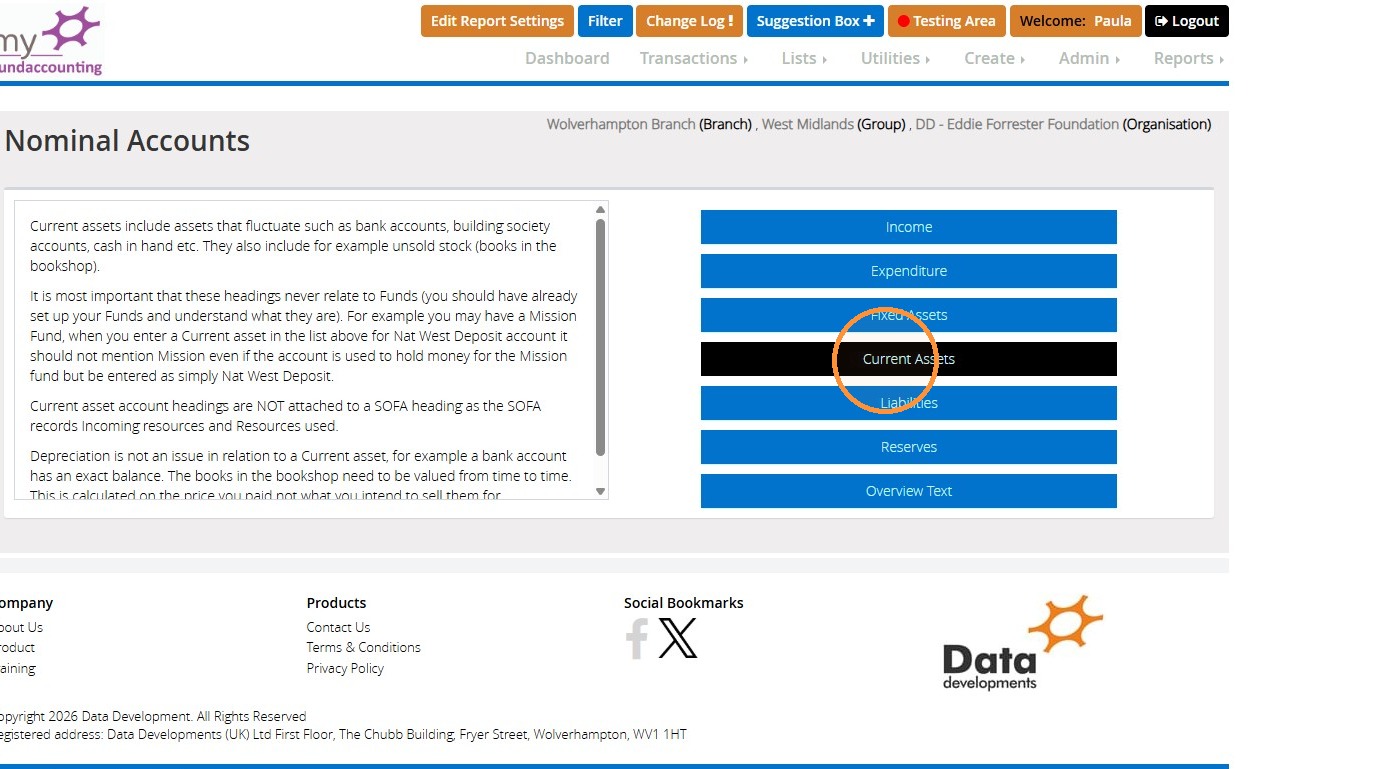
4. Click "Current Assets".
">
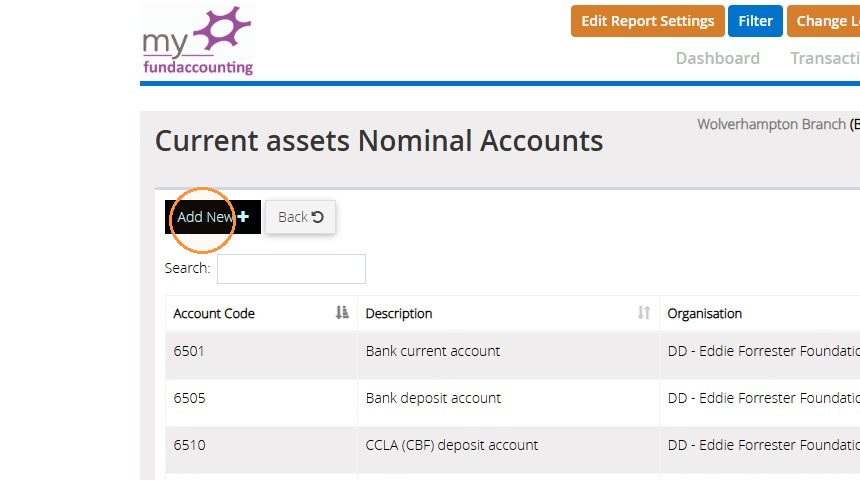
5. Click "Add New".
">
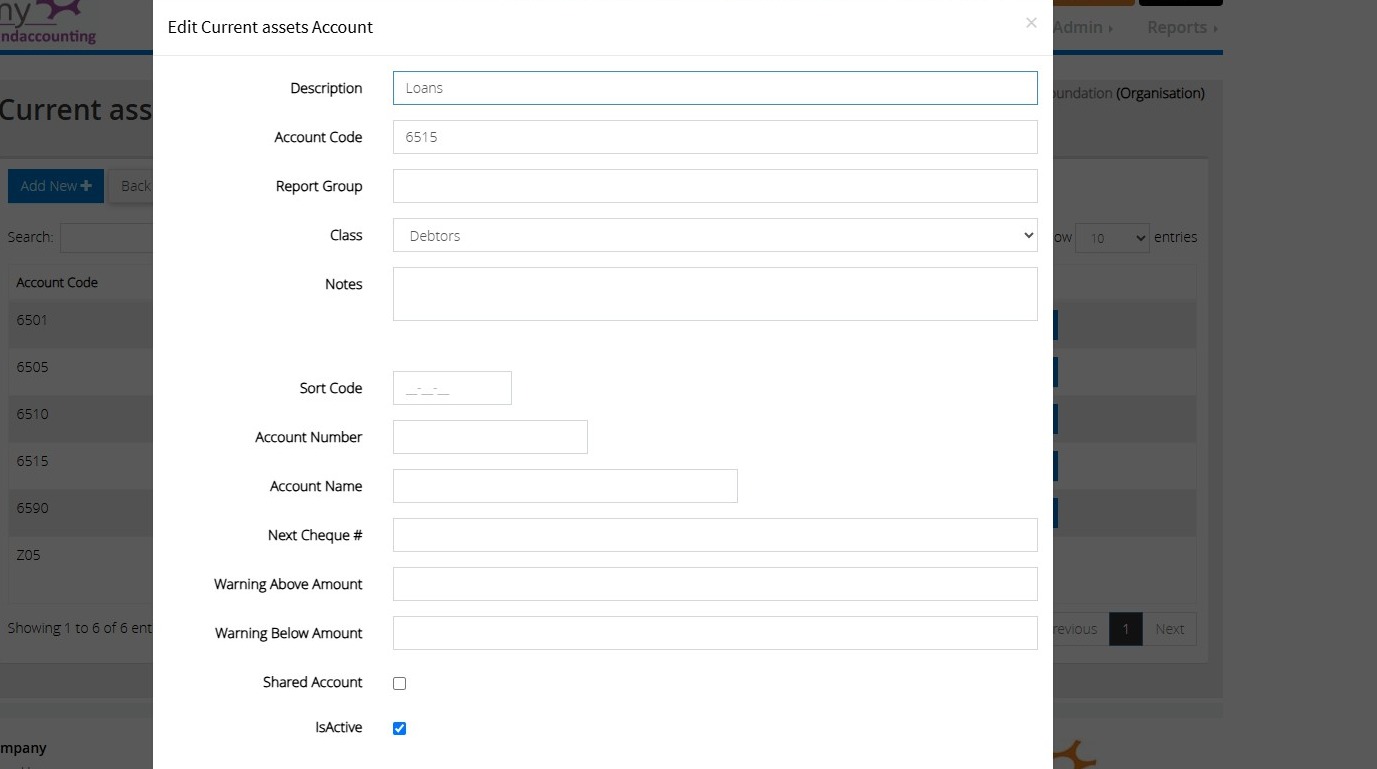
6. Enter the details of the Debtor code you wish to create. Ensure you choose 'Debtors' under the 'Class' drop-down menu.
">
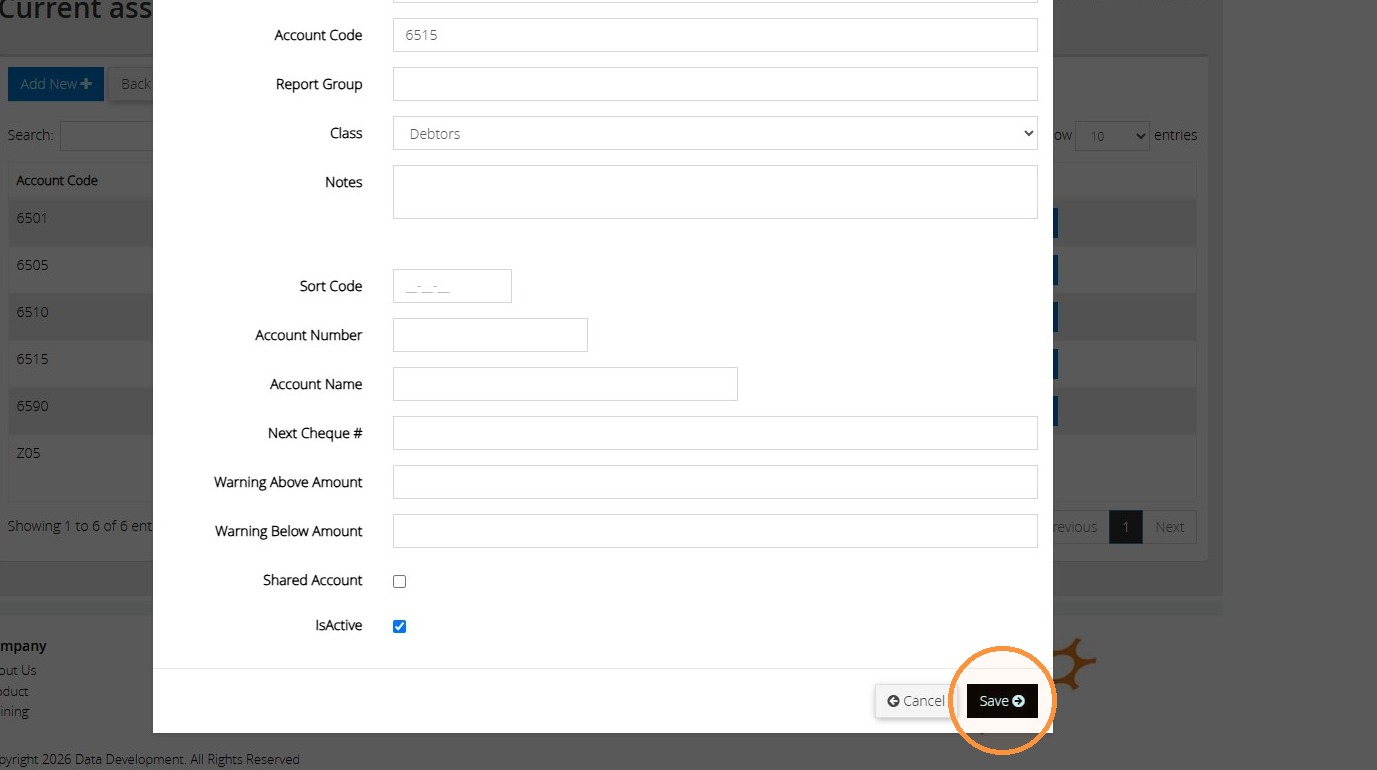
7. Once complete, click "Save".
">
How to Record a Loan
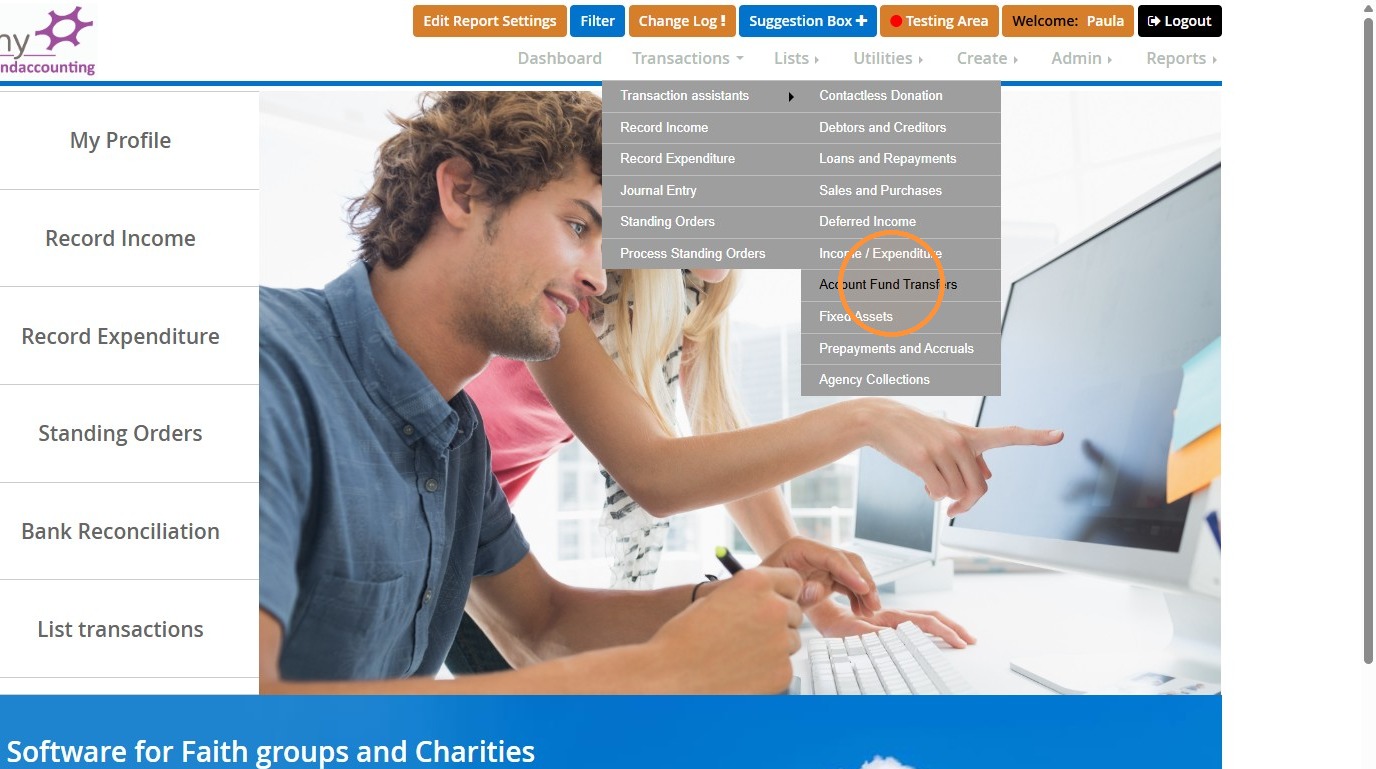
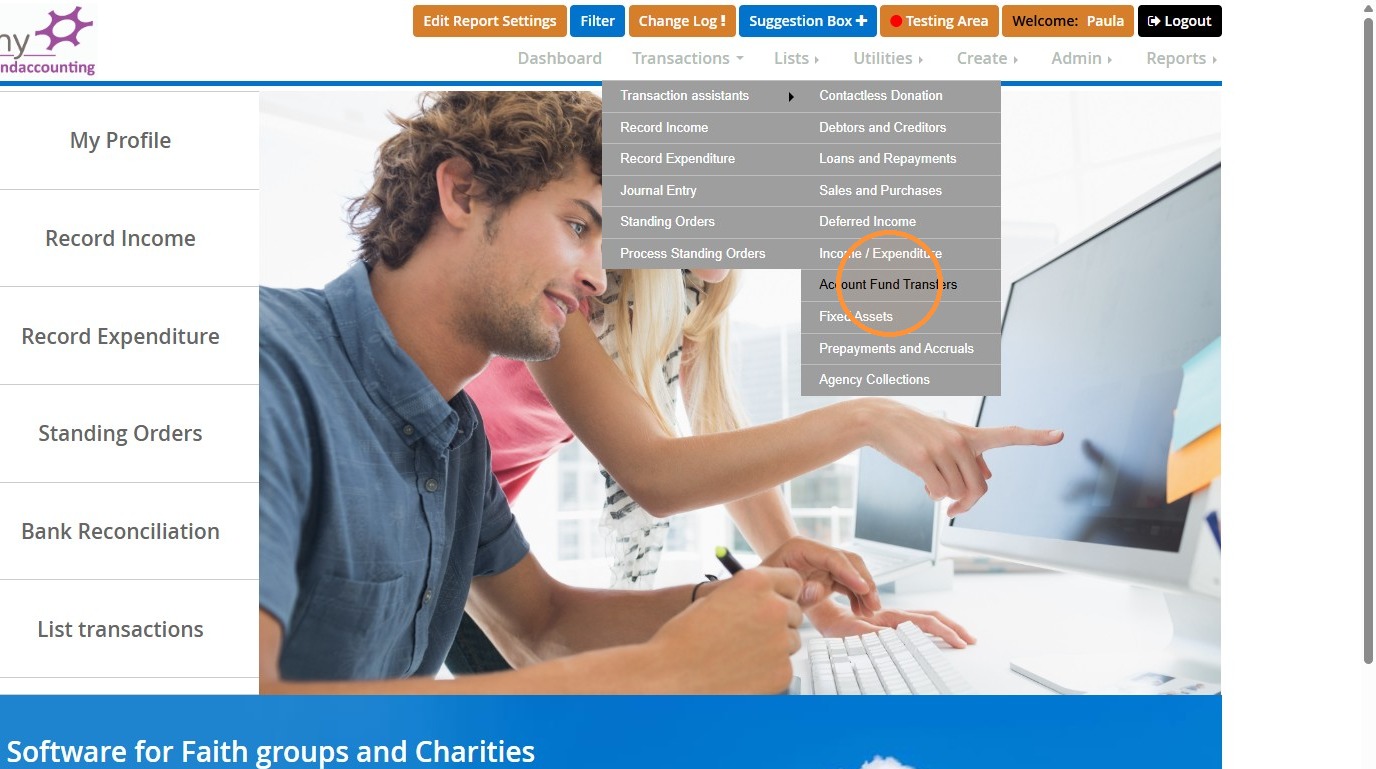
8. Go to "Transactions", "Transaction assistants", and then click "Account Fund Transfers".
">
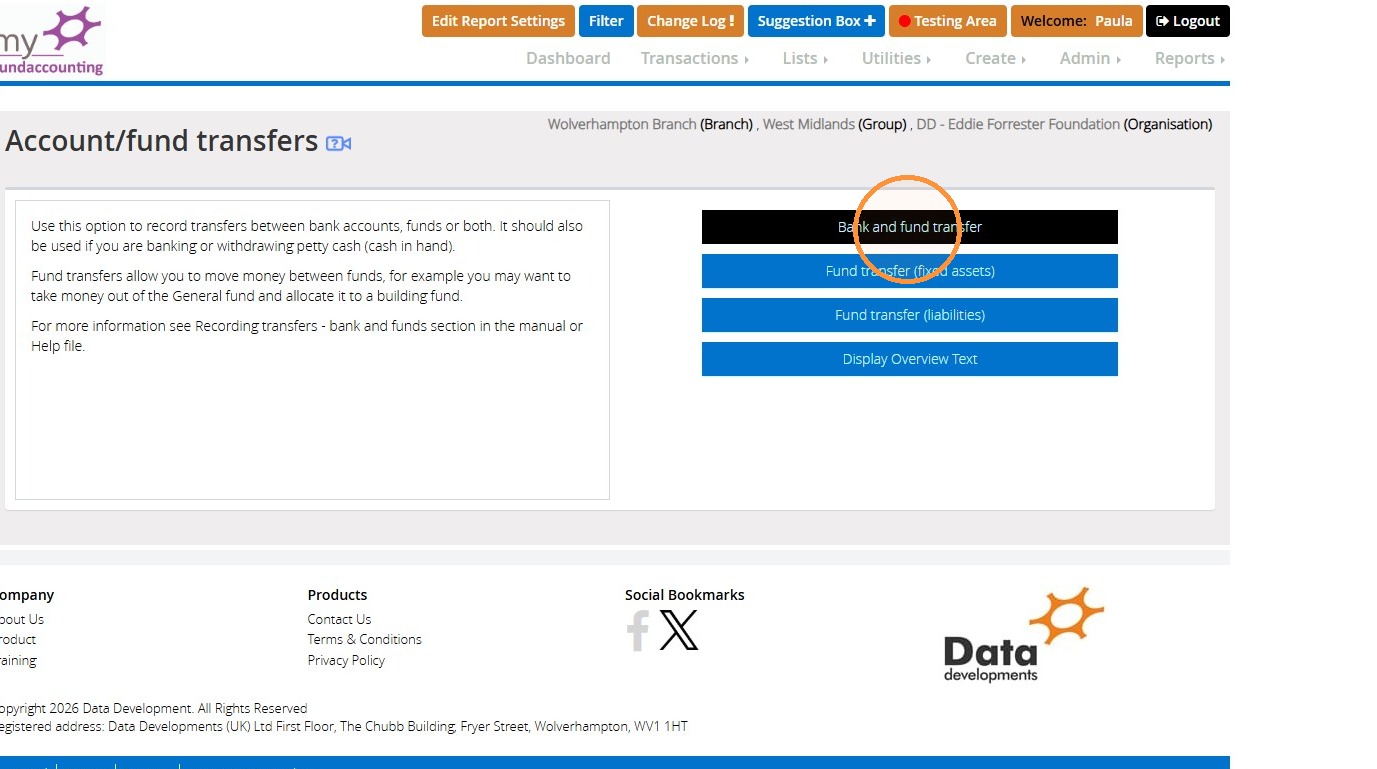
9. Click "Bank and fund transfer".
">
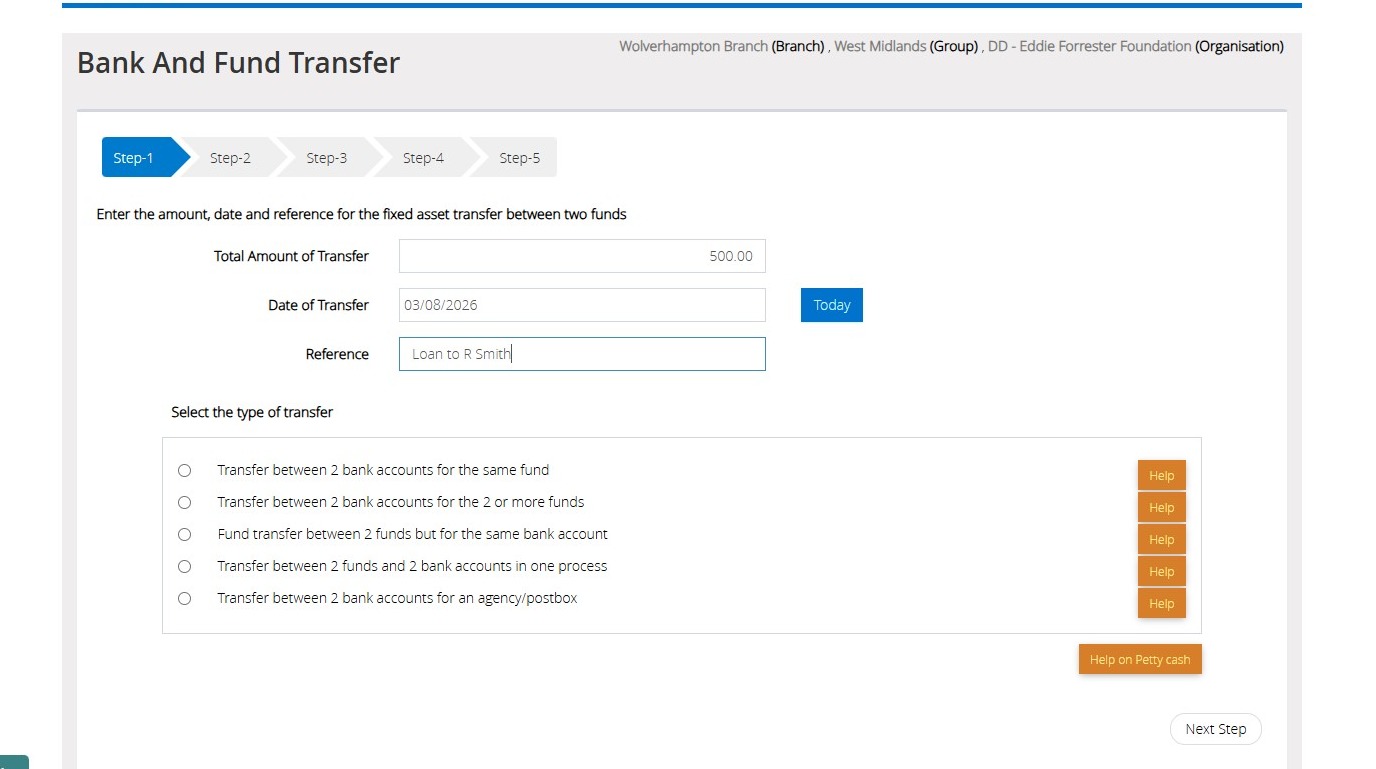
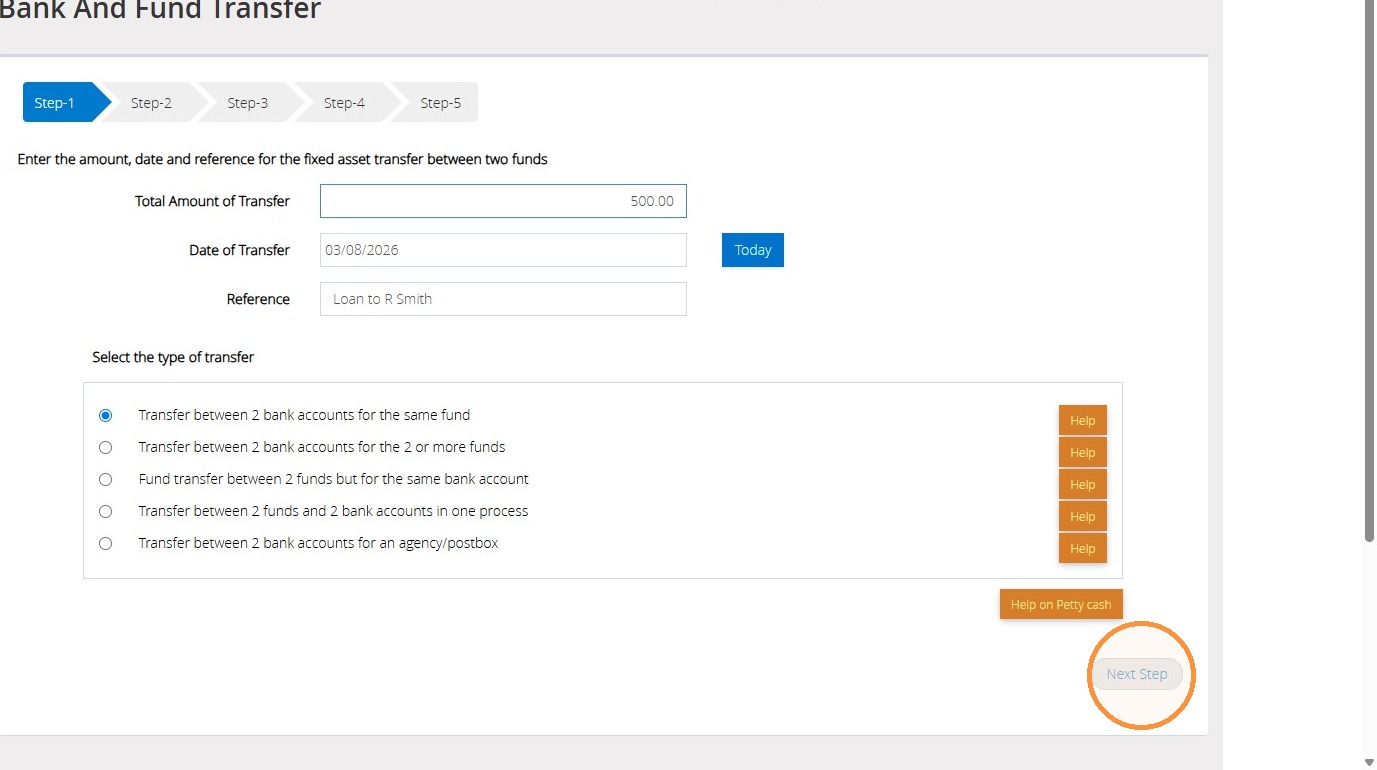
10. On Step 1, enter the amount, date and reference if applicable of the loan that has been given using the boxes below.
">
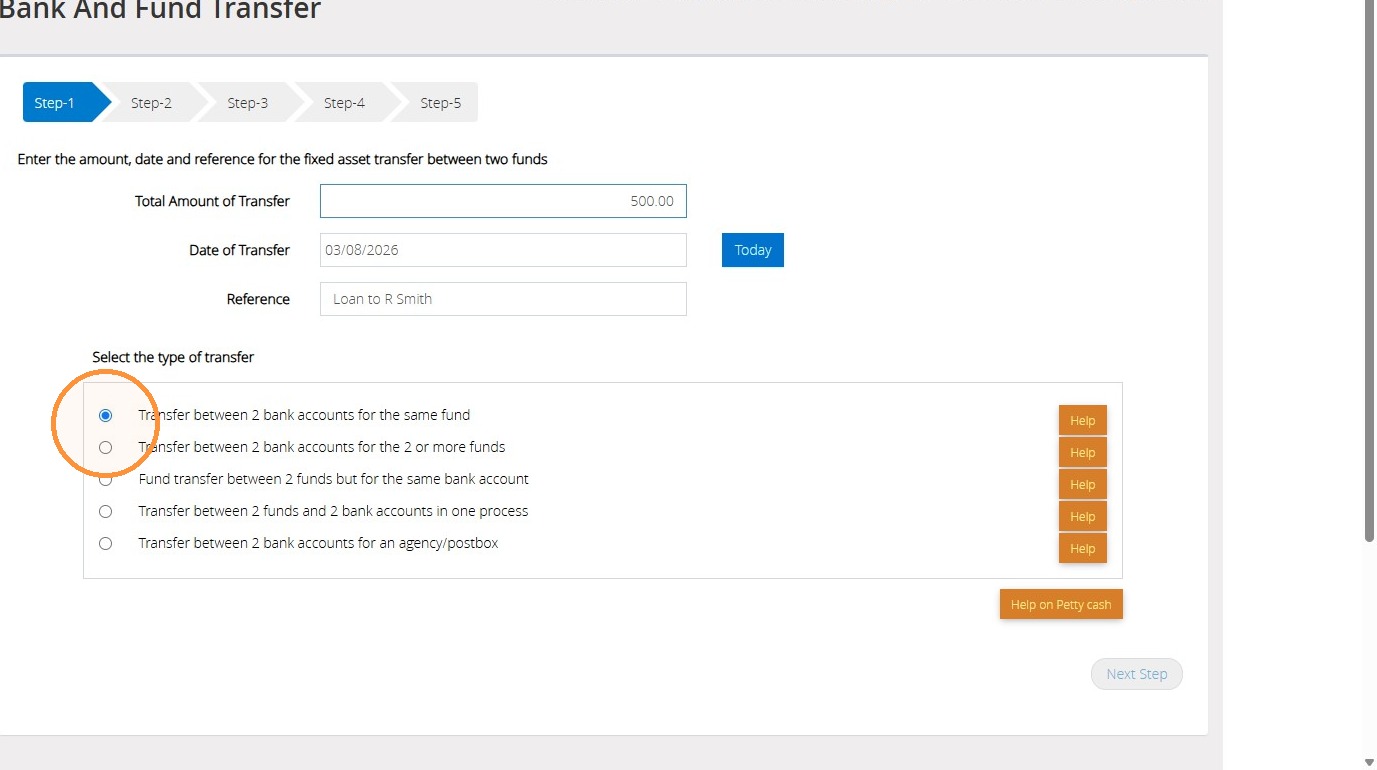
11. Then select "Transfer between 2 bank accounts for the same fund".
">
12. Afterwards, click "Next Step" to continue.
">
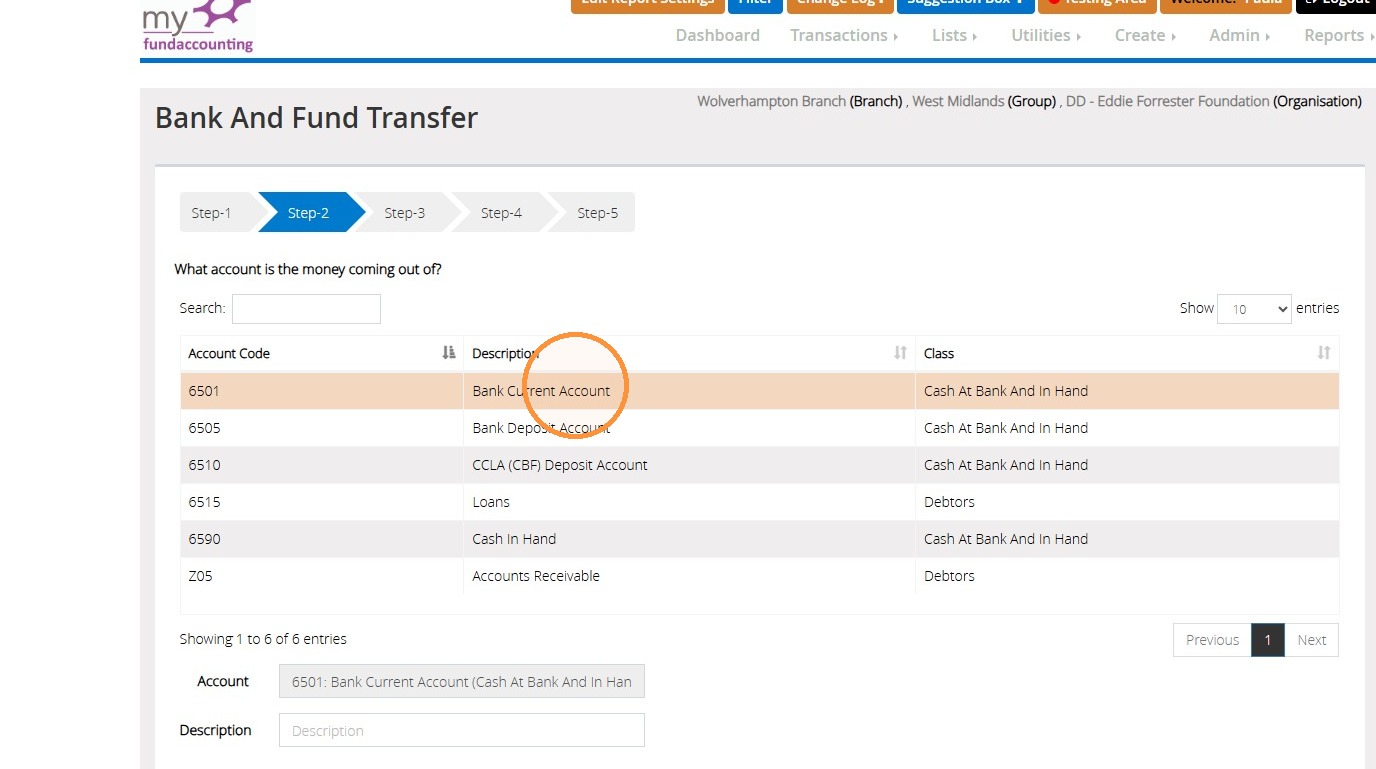
13. On Step 2, select the bank account the loan payment is being taken out of.
">
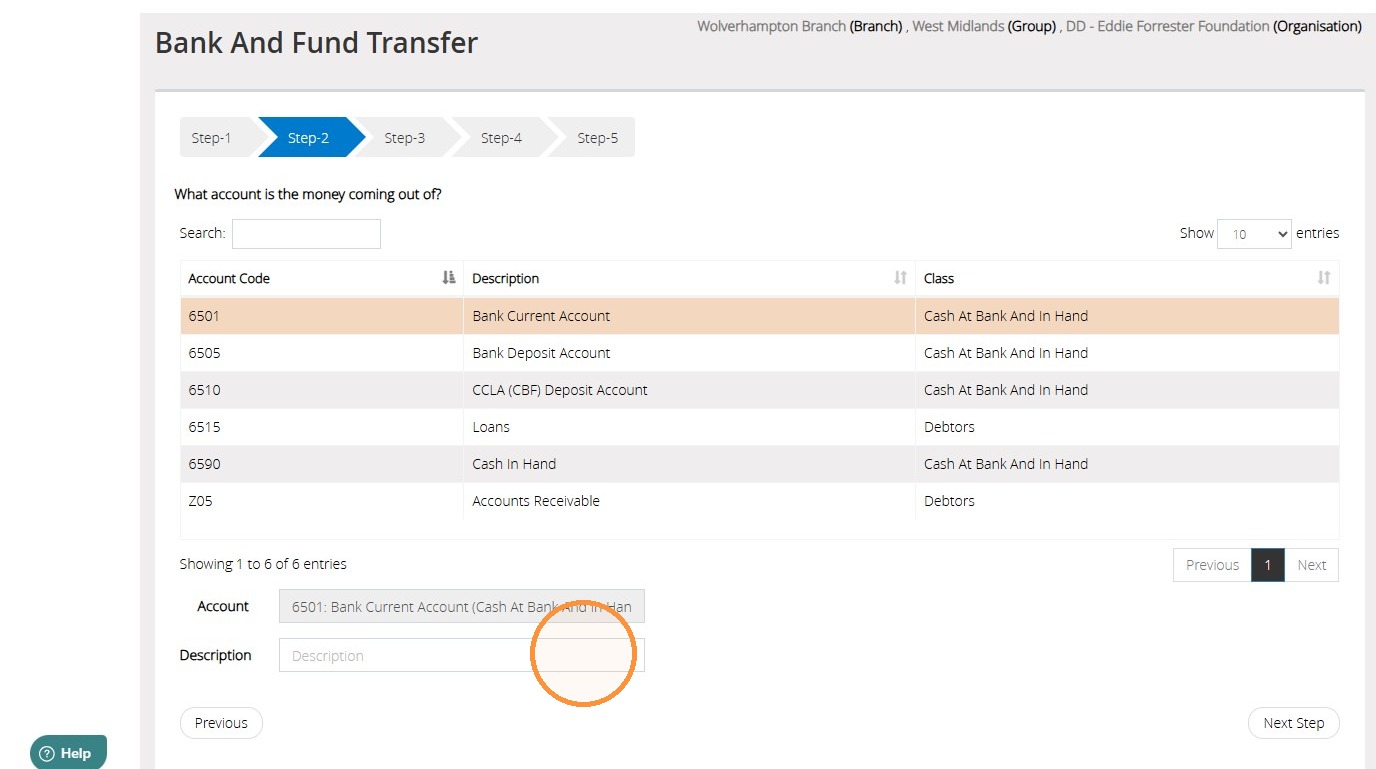
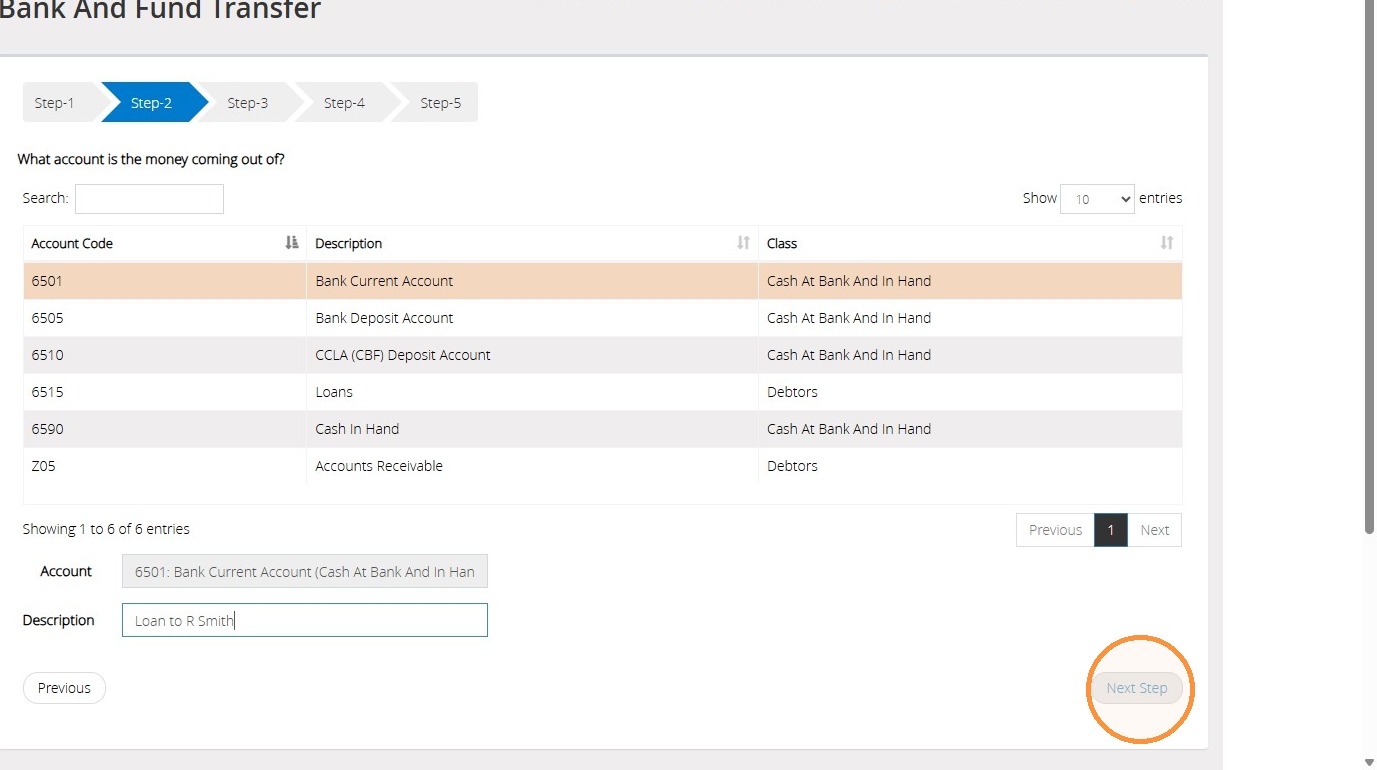
14. Enter a description into the Description field if applicable.
">
15. Then click "Next Step" to continue.
">
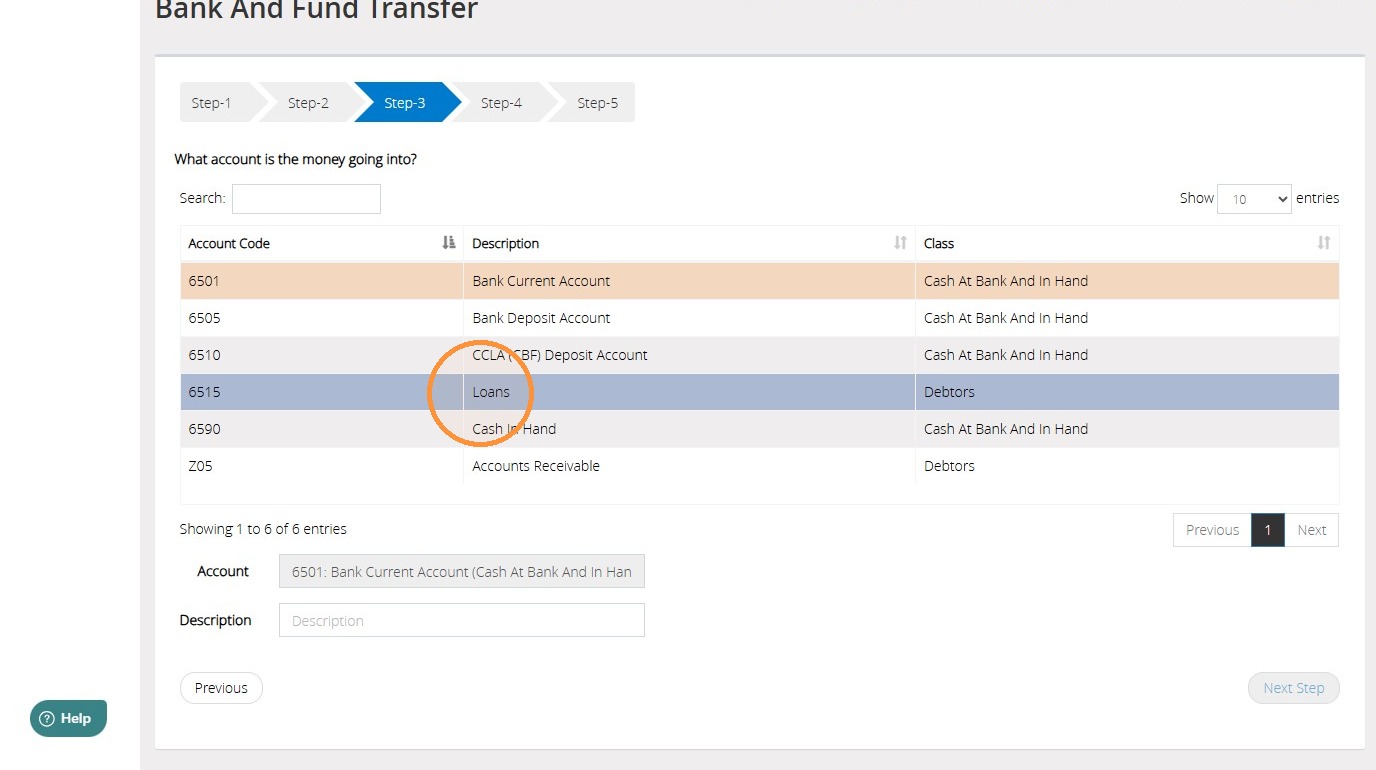
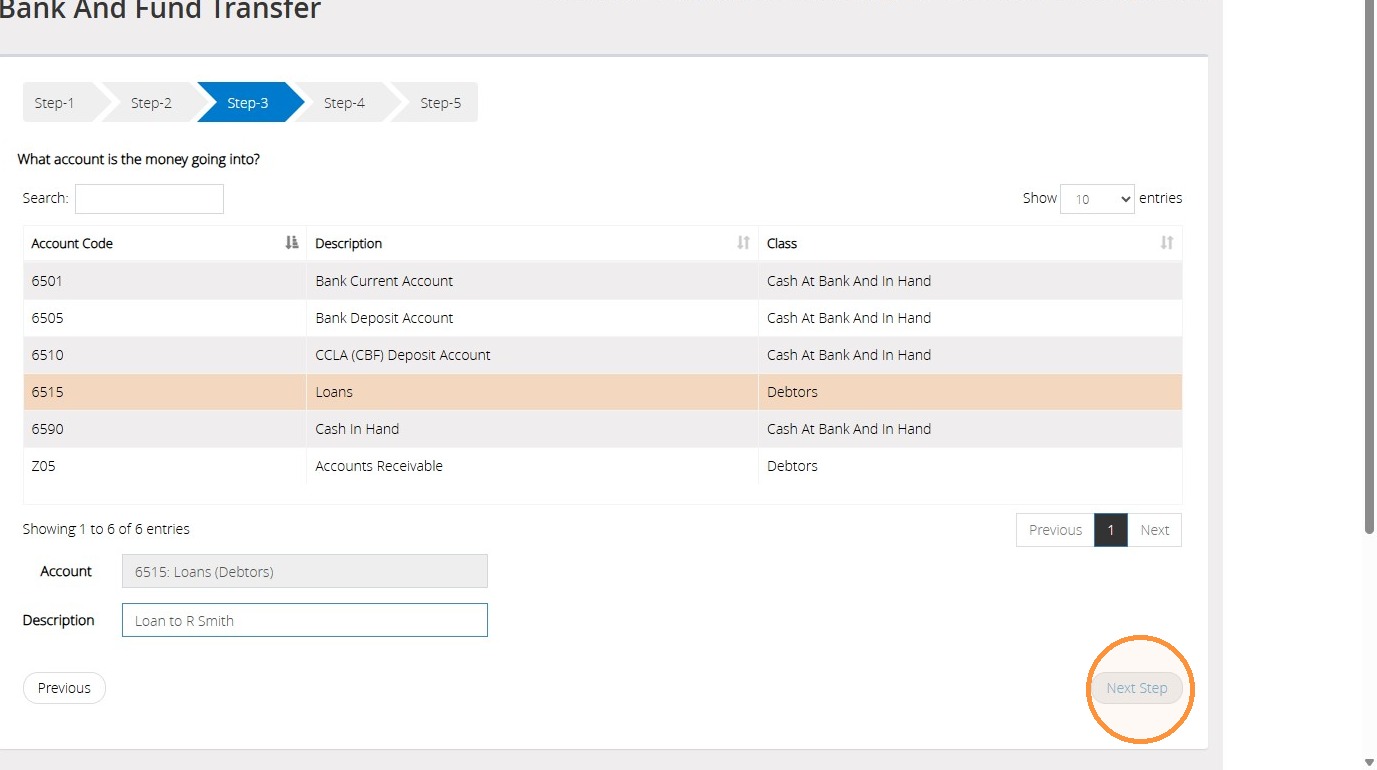
16. On Step 3, select the 'Debtors' code you wish to use. You can add a description into the Description field if applicable.
">
17. Then click "Next Step" to continue.
">
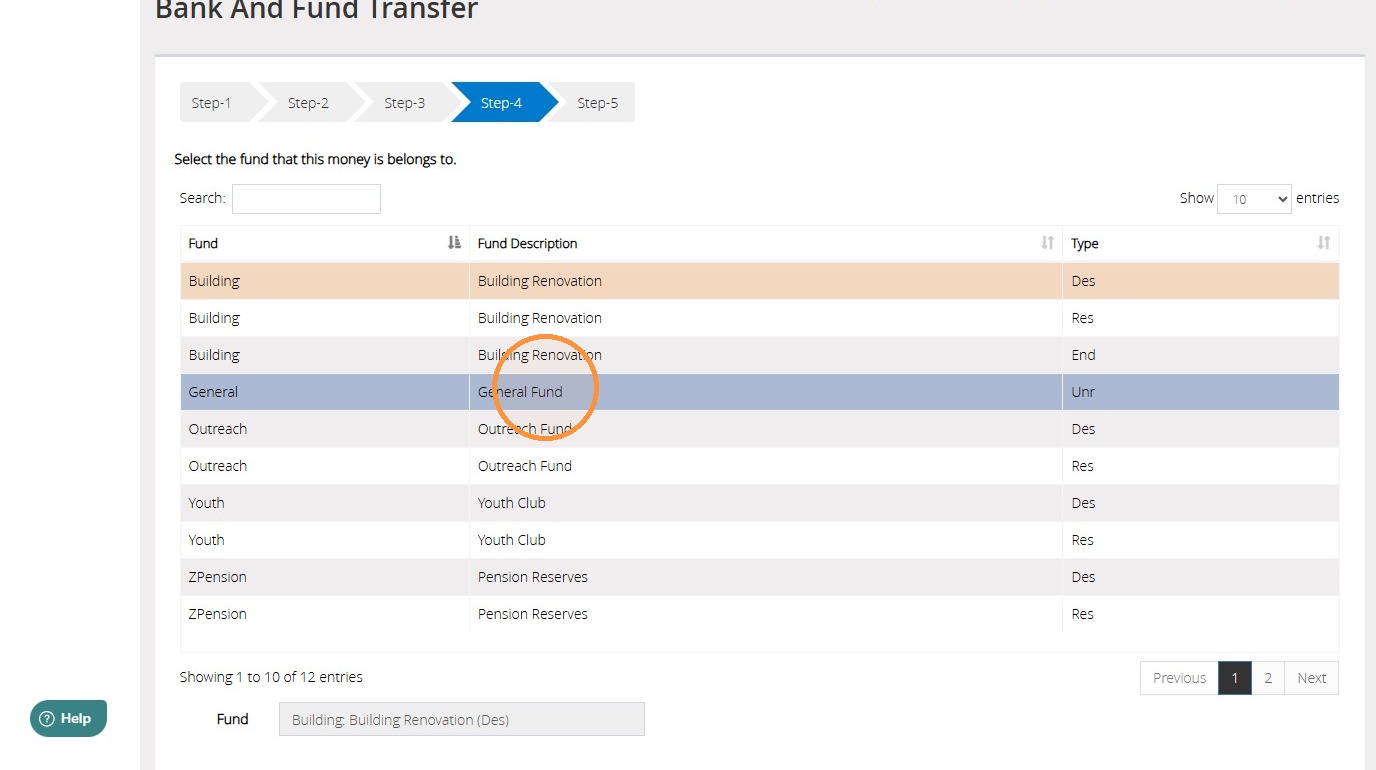
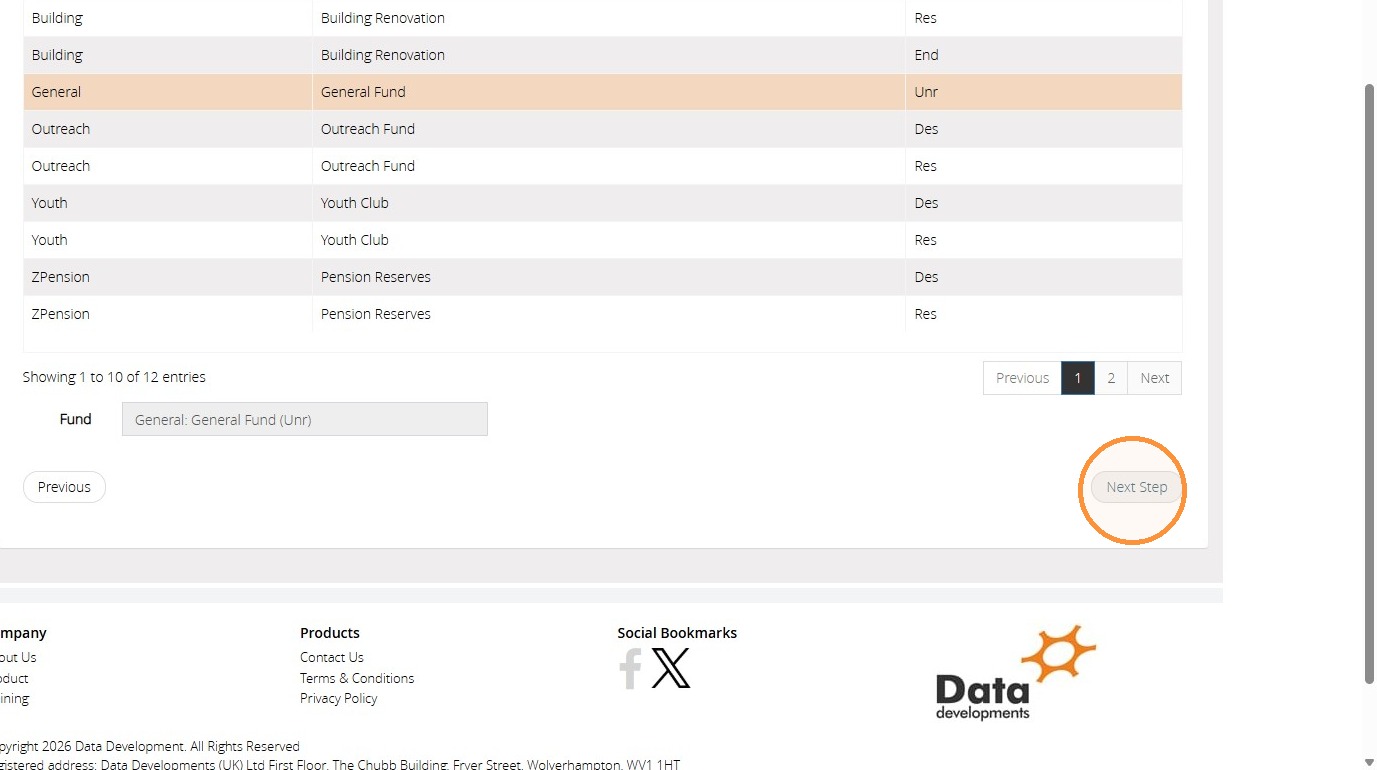
18. On Step 4, select the fund you wish to use.
">
19. Then click "Next Step" to continue.
">
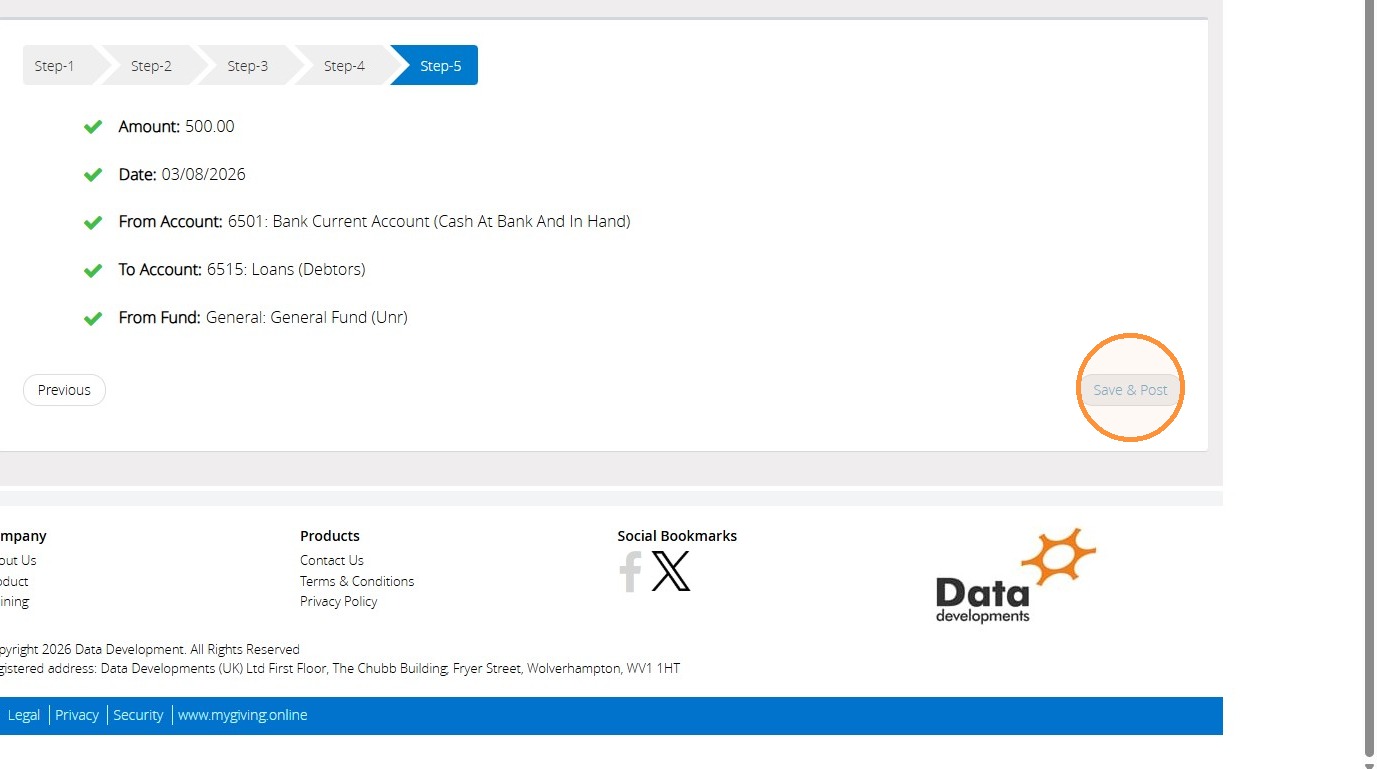
20. On Step 5, you will have the option to review all the information chosen on the previous steps. If you're happy with your choices, click "Save & Post". Otherwise, select "Previous" to return to the previous steps and change the details.
">
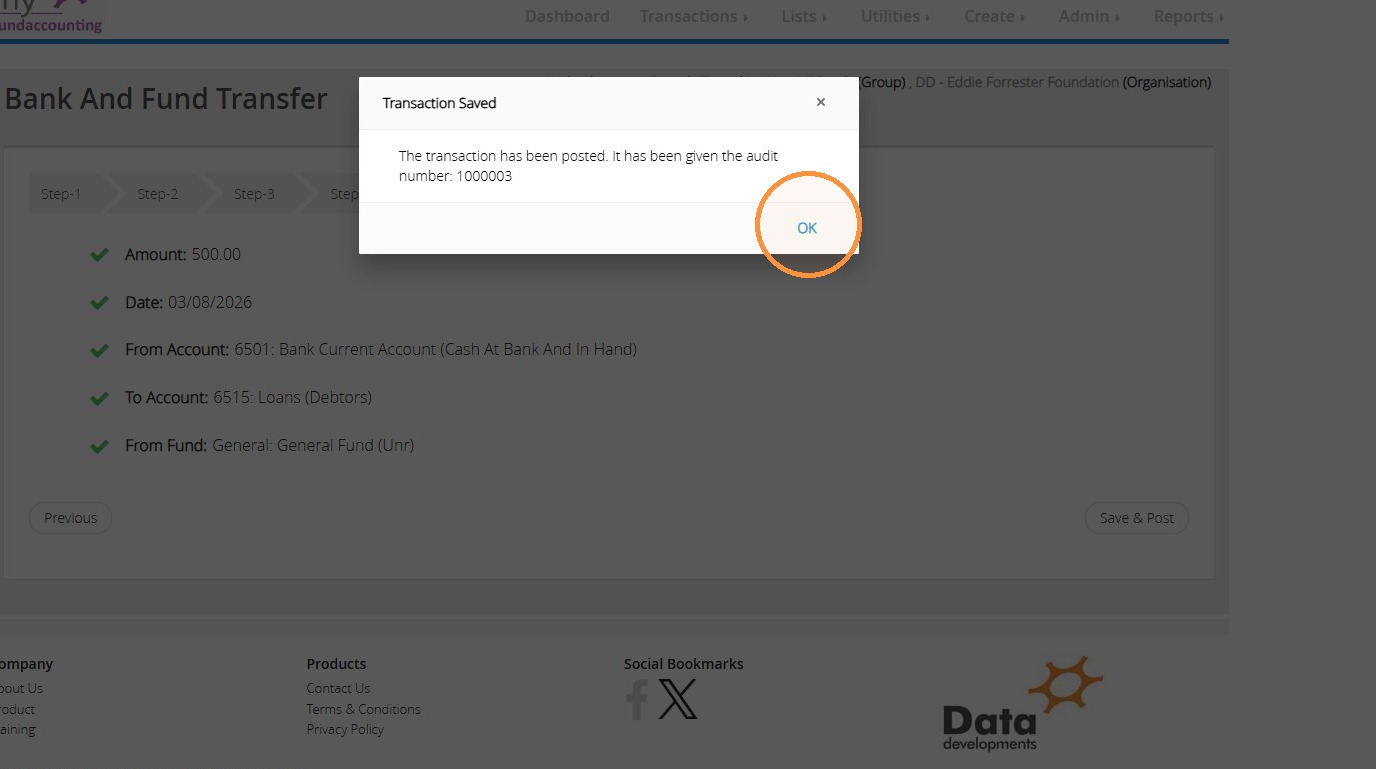
21. A message will pop up assigning an audit number to your transaction. Click "OK" to dismiss the message.
">
22. This transaction records the funds as leaving the bank account, ensuring your bank reconciliation remains accurate. At the same time, the amount is reallocated to the debtors code, creating a record that the money has been issued as a loan and remains outstanding until it is repaid.
Recording a Loan Repayment
23. When a repayment is received, record the transaction as follows.
Go to "Transactions", "Transaction assistants", and click "Account Fund Transfers".
">
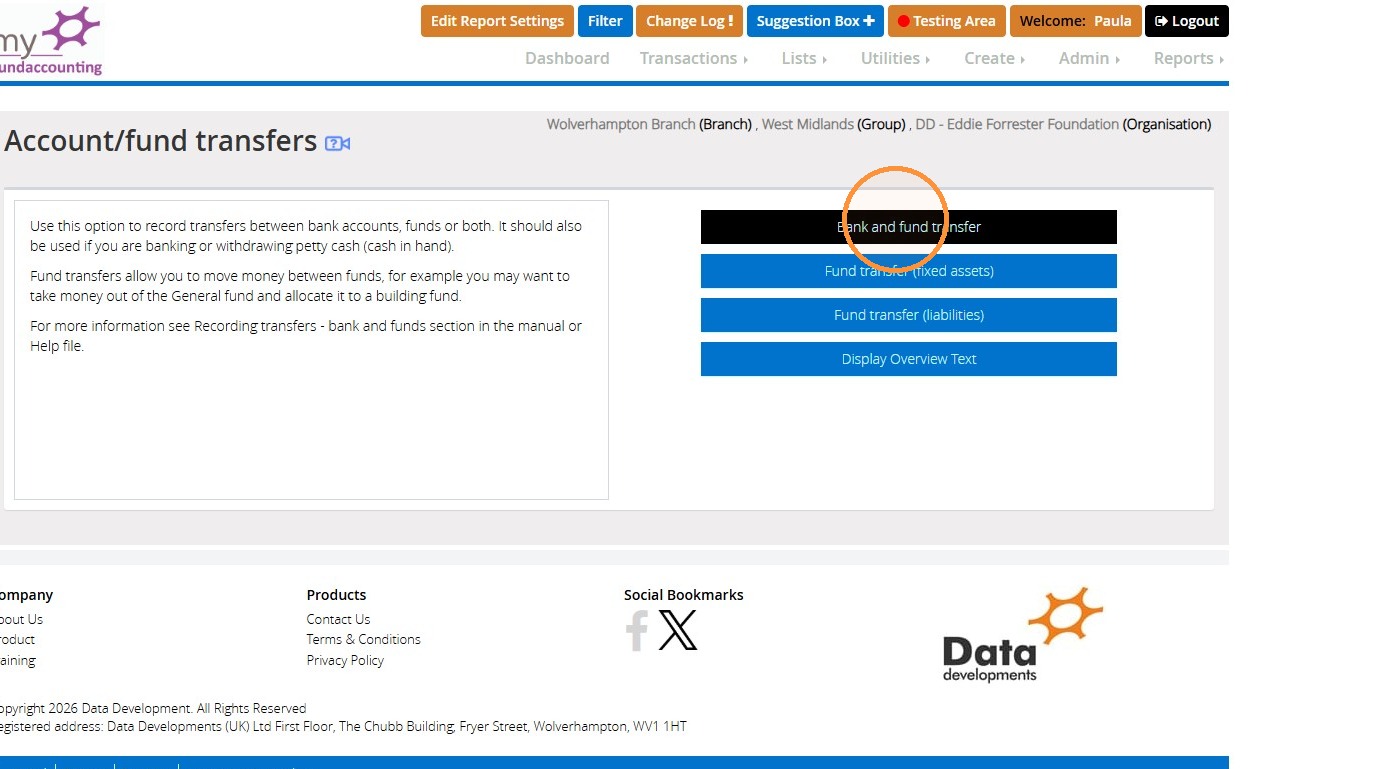
24. Click "Bank and fund transfer".
">
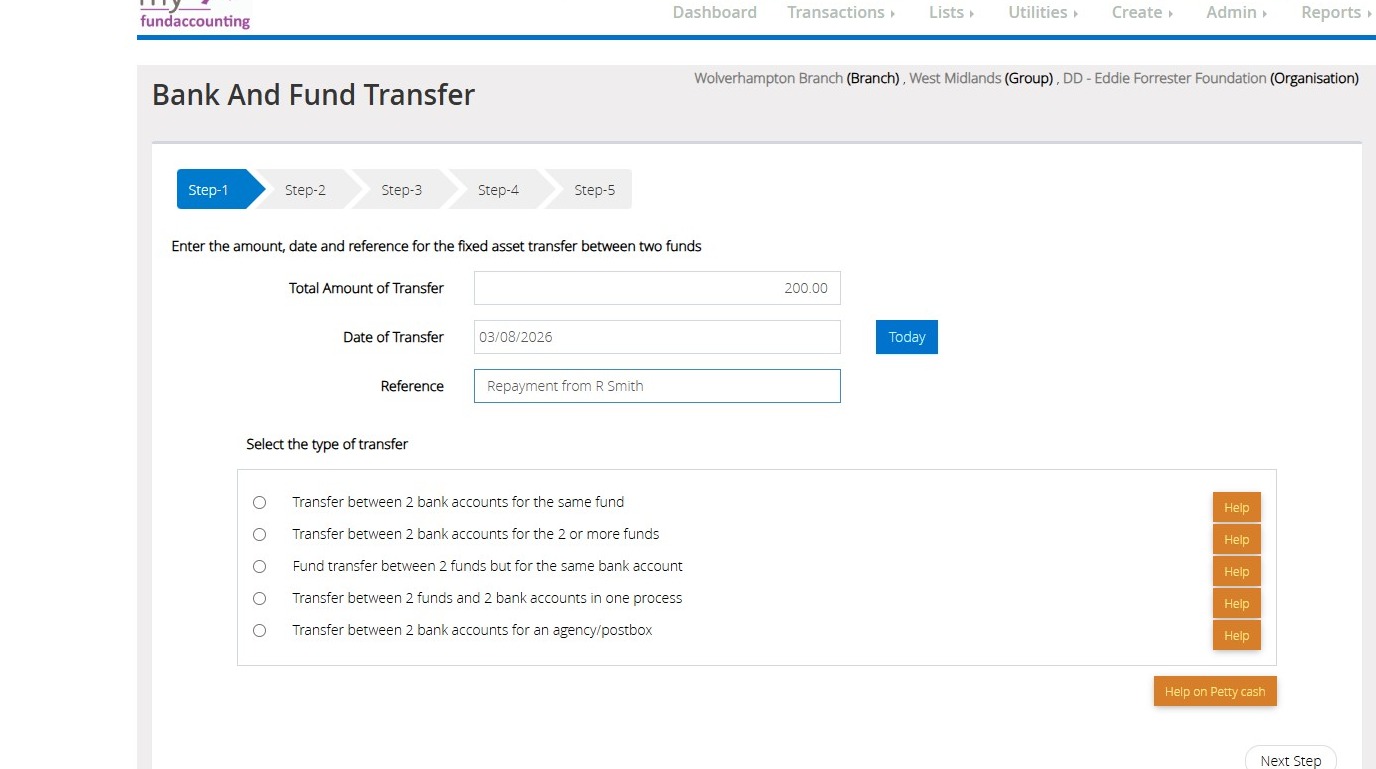
25. On Step 1, enter the amount, date and reference if applicable using the provided fields below.
">
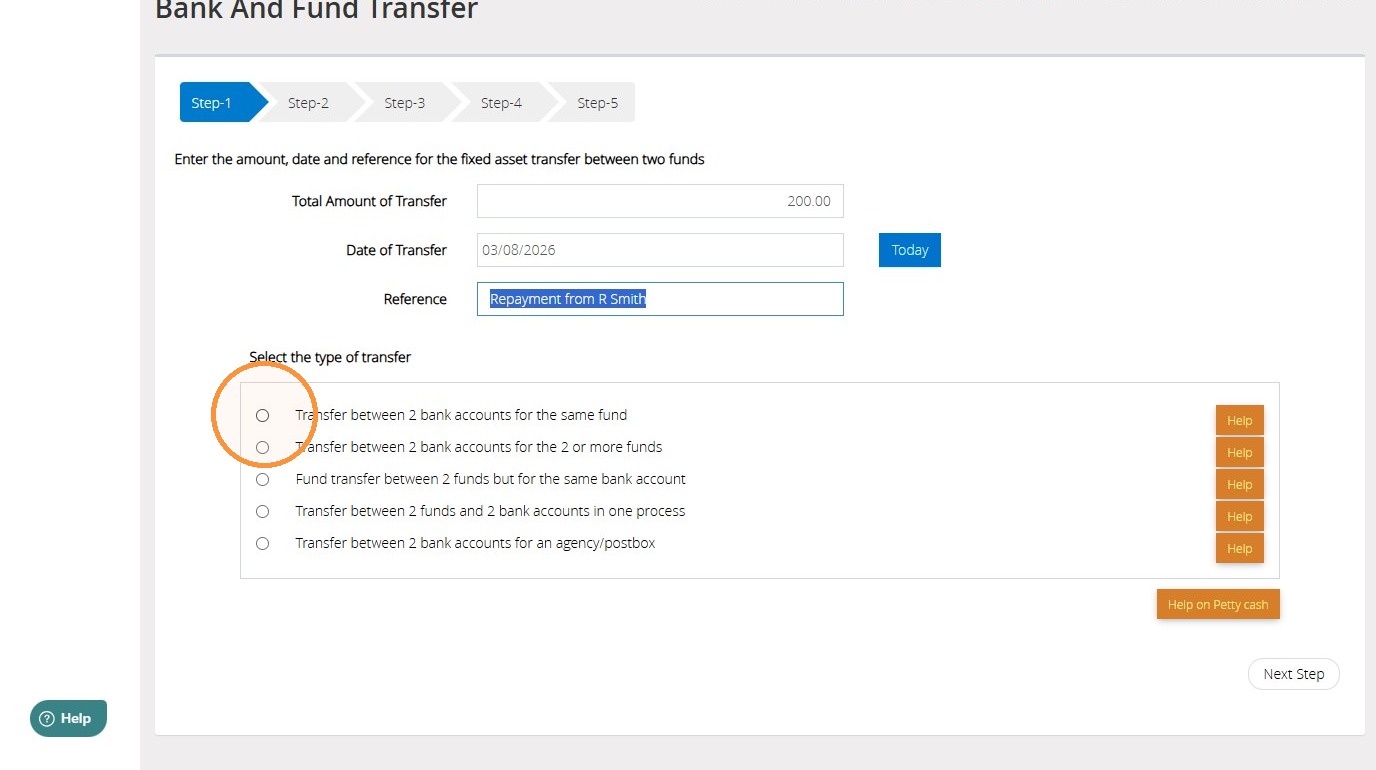
26. Select "Transfer between 2 bank accounts for the same fund".
">
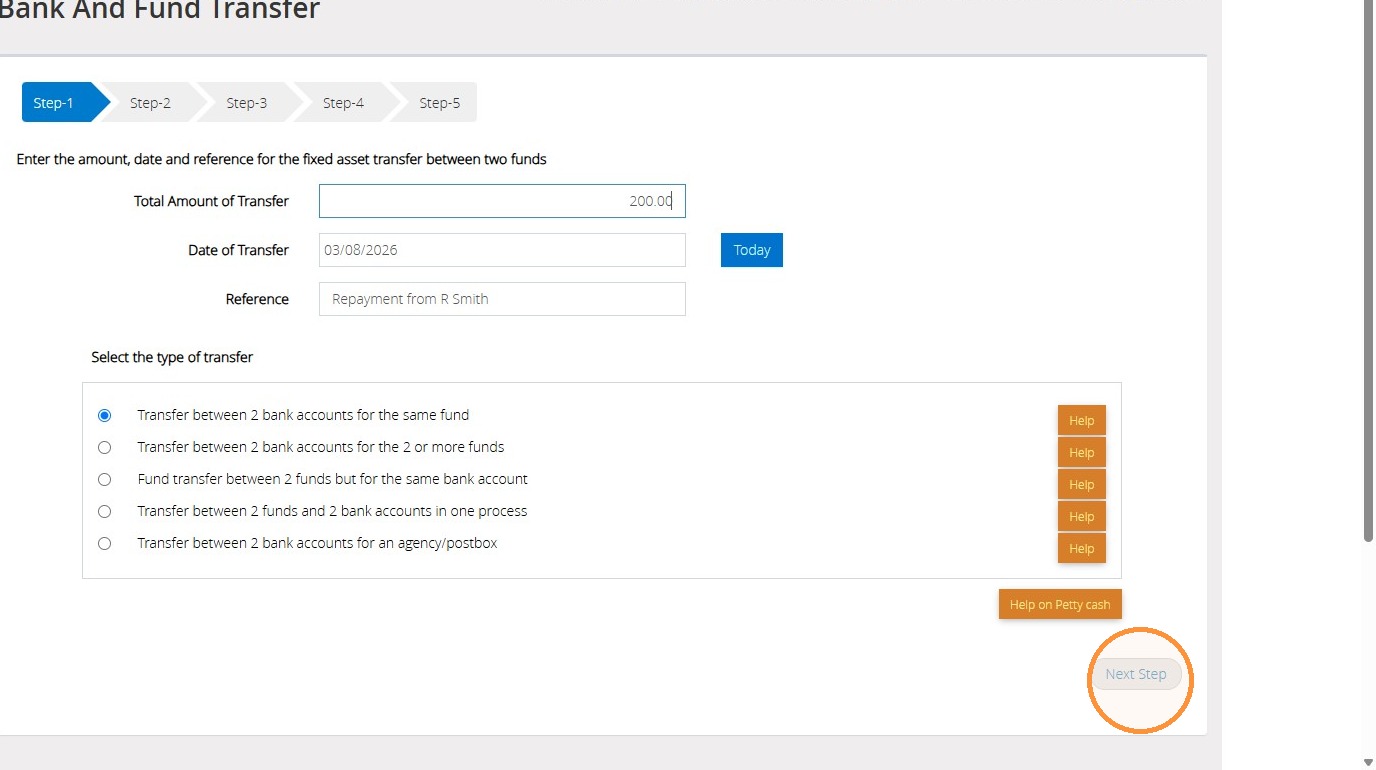
27. Then click "Next Step" to continue.
">
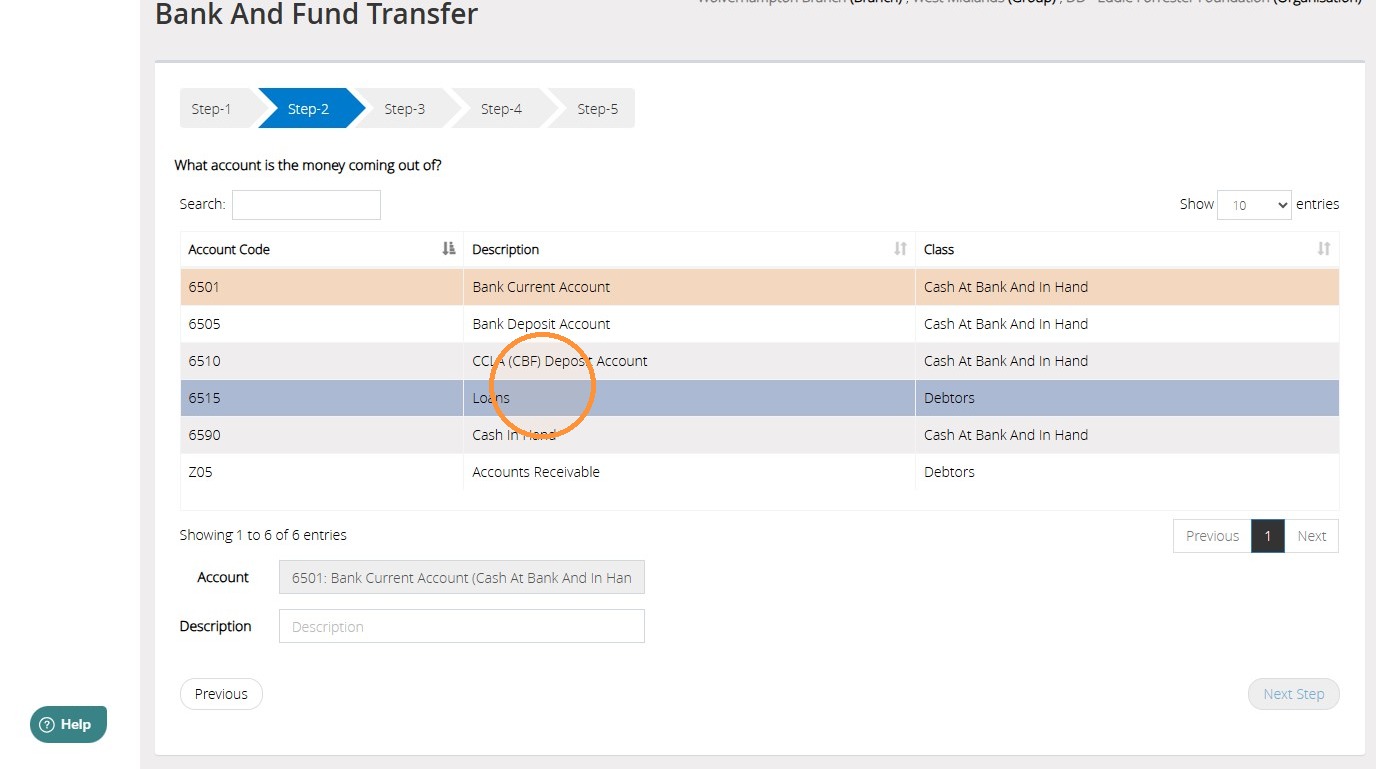
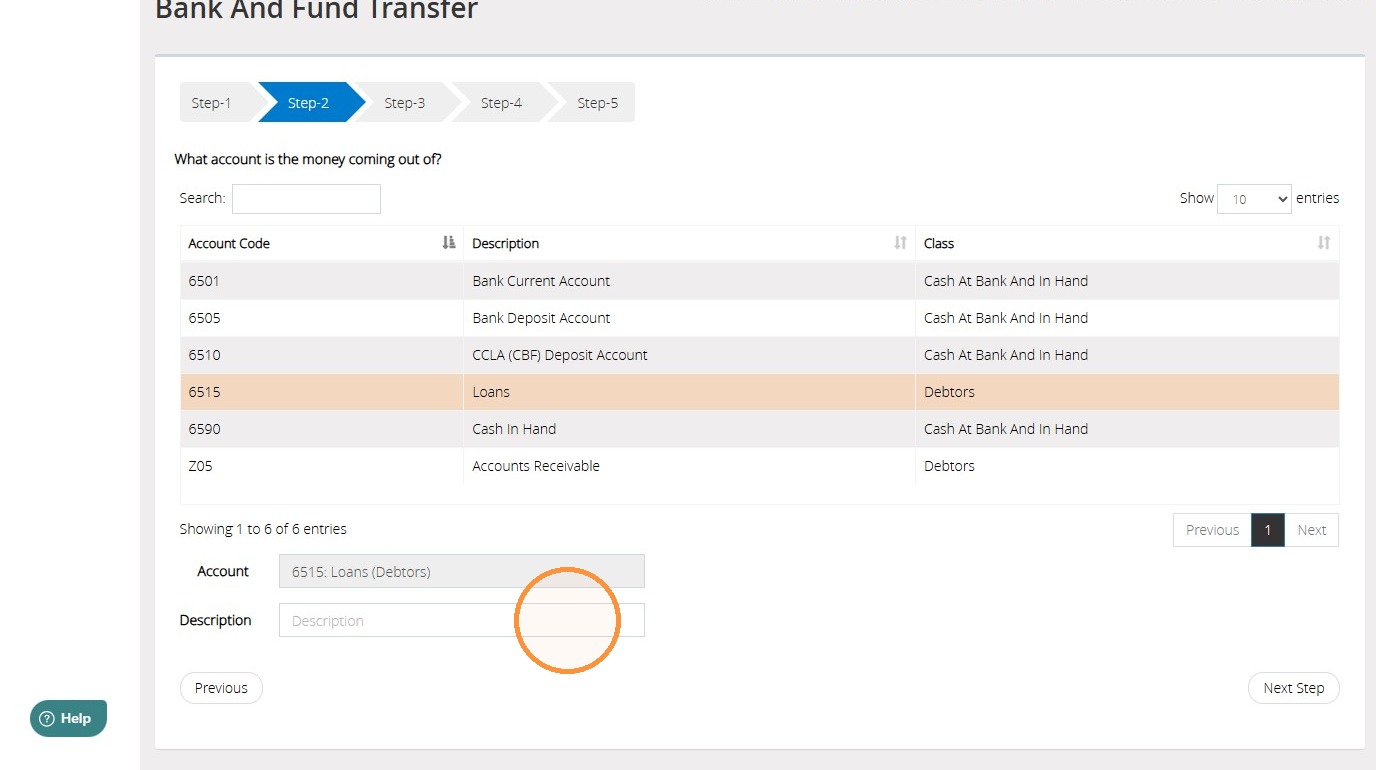
28. On Step 2, select the 'Debtors' code that relates to the loan.
">
29. You can also enter a description into the Description field if applicable.
">
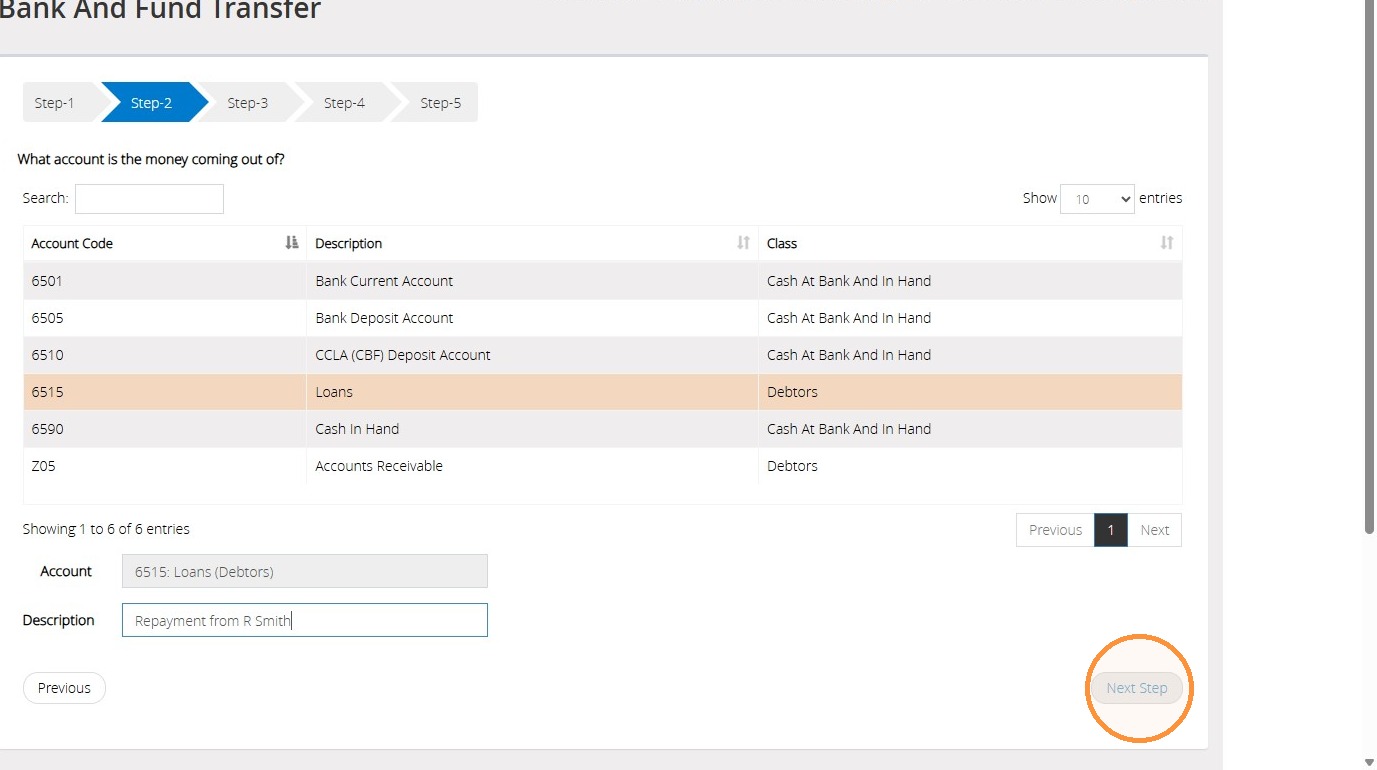
30. Once completed, click "Next Step" to continue.
">
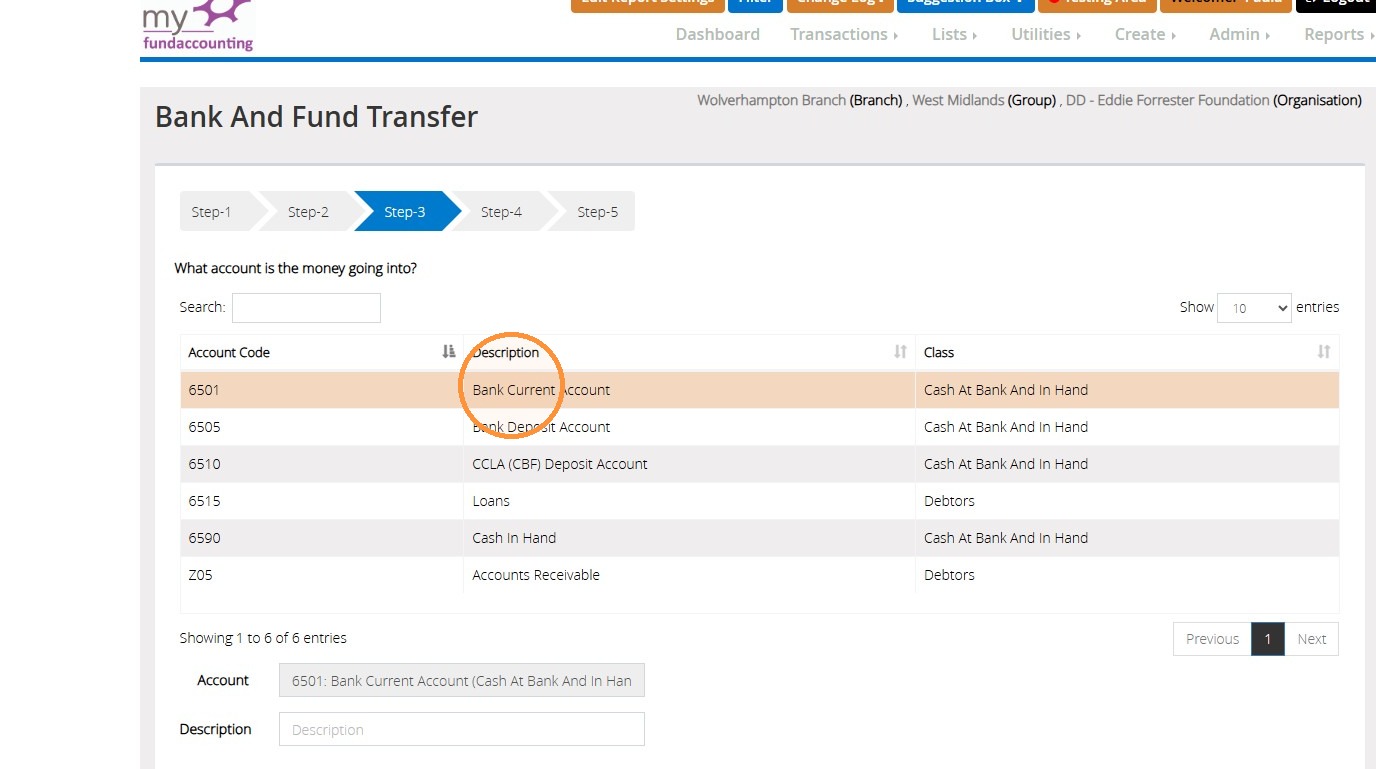
31. On Step 3, select the bank account that the repayment has been made into.
">
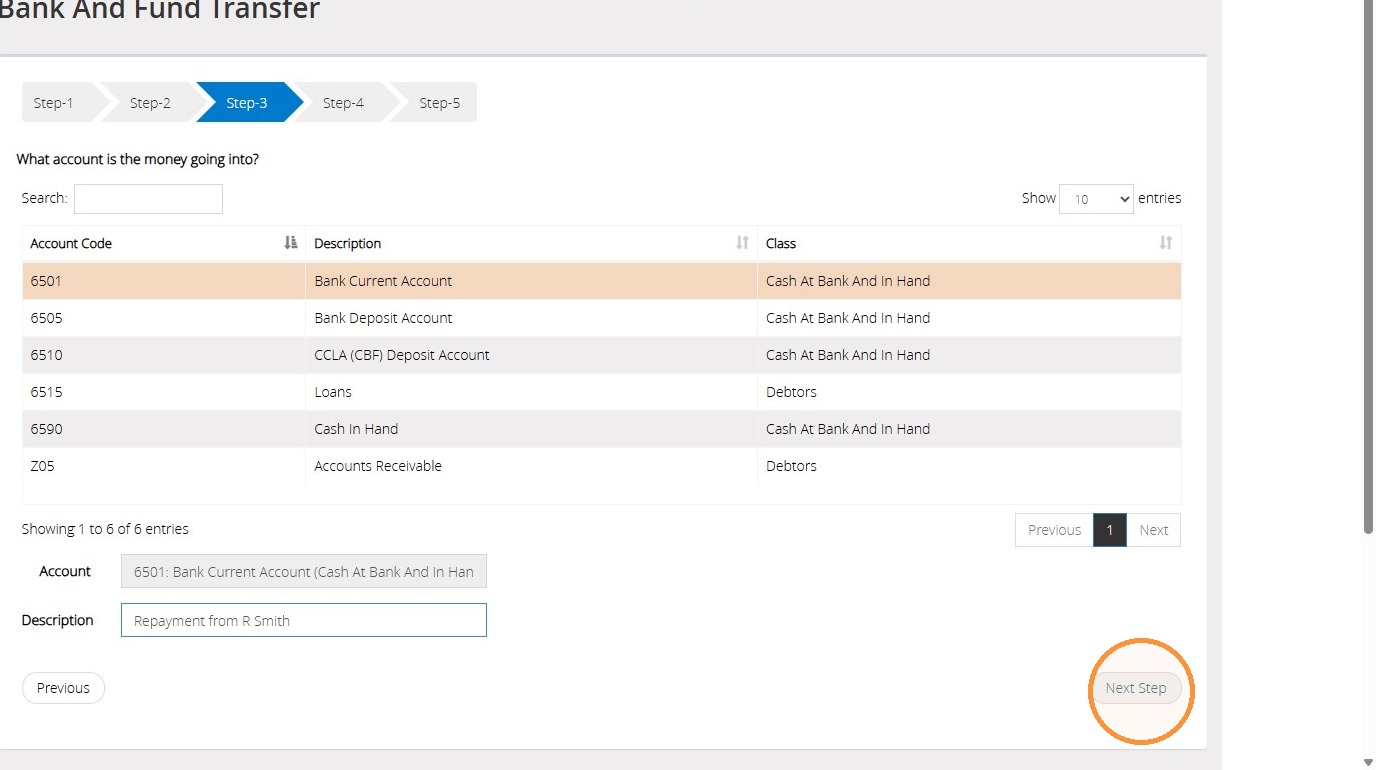
32. Then click "Next Step" to continue.
">
33. On Step 4, select the fund that the repayment should be allocated to.
">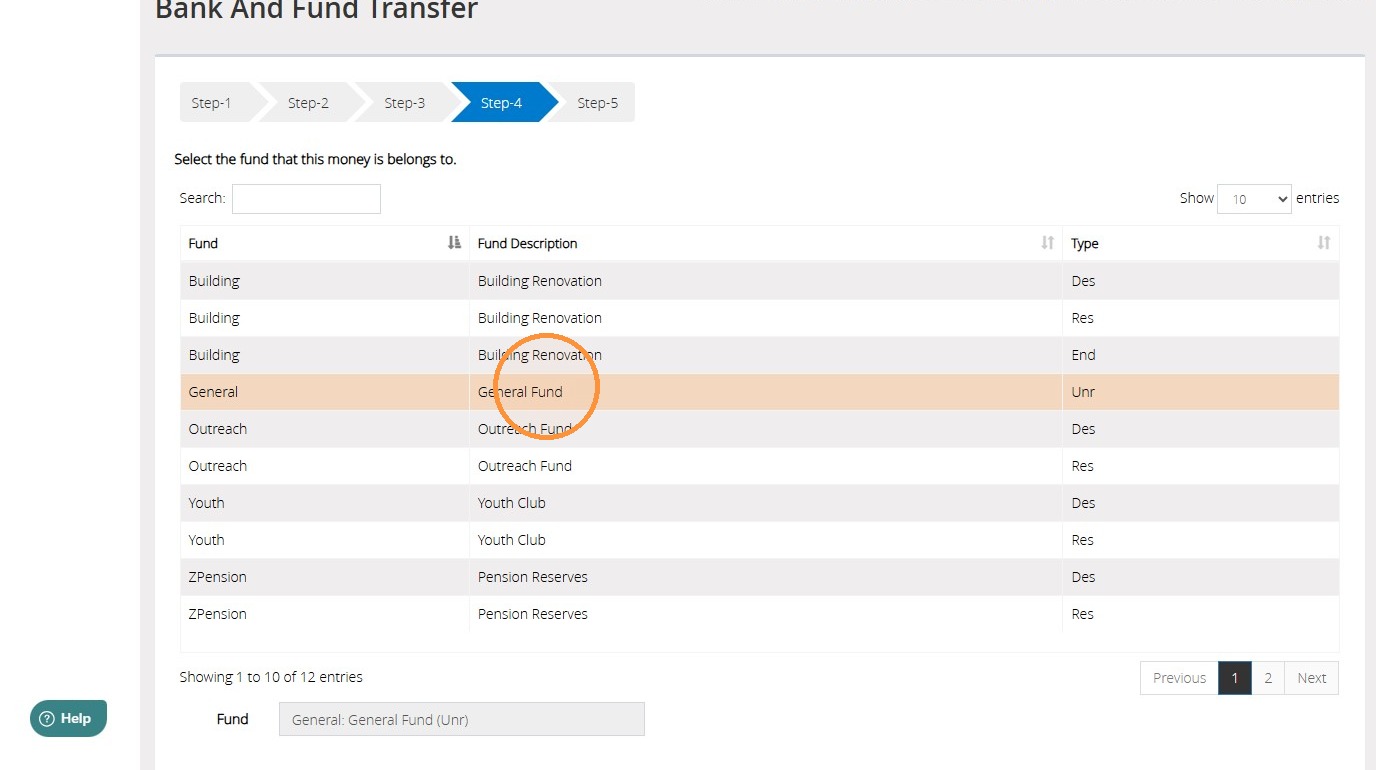
Tip: Tip! It is good practice to use the same fund for both the loan disbursement and any subsequent repayments. This helps maintain accurate fund balances and provides a clear audit trail of the loan throughout its lifecycle.
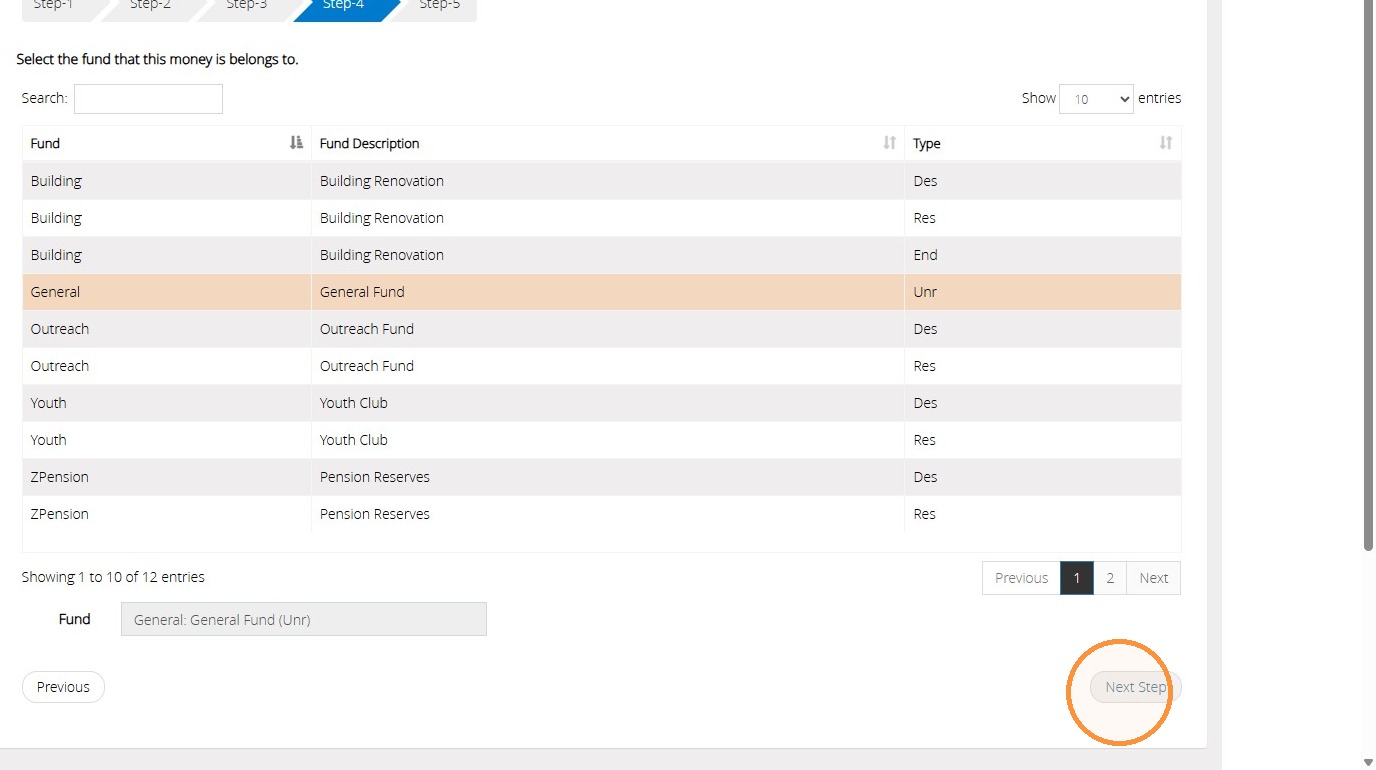
34. Then click "Next Step" to continue.
">
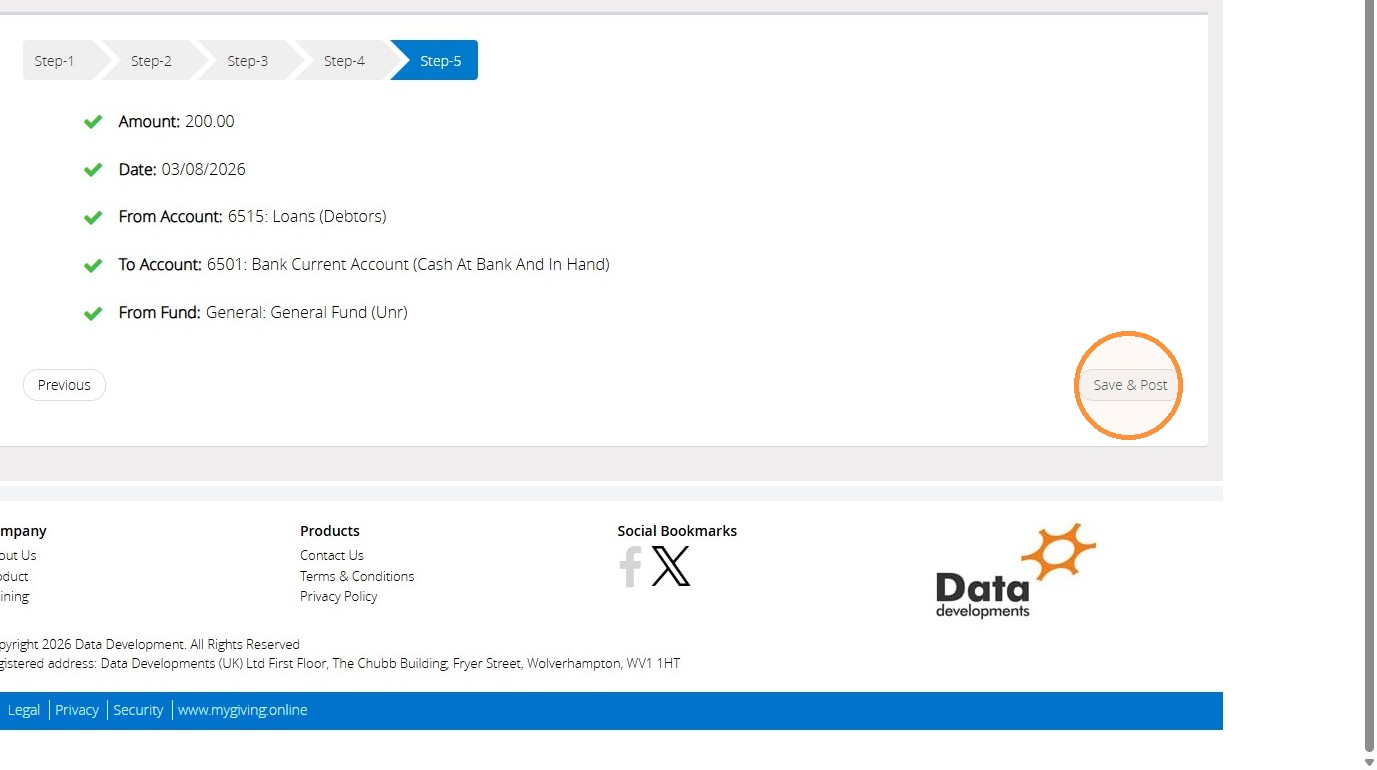
35. On Step 5, you will have the option to review all the information chosen on the previous steps. If you're happy with your choices, click "Save & Post". Otherwise, select "Previous" to return to the previous steps and change the details.
">
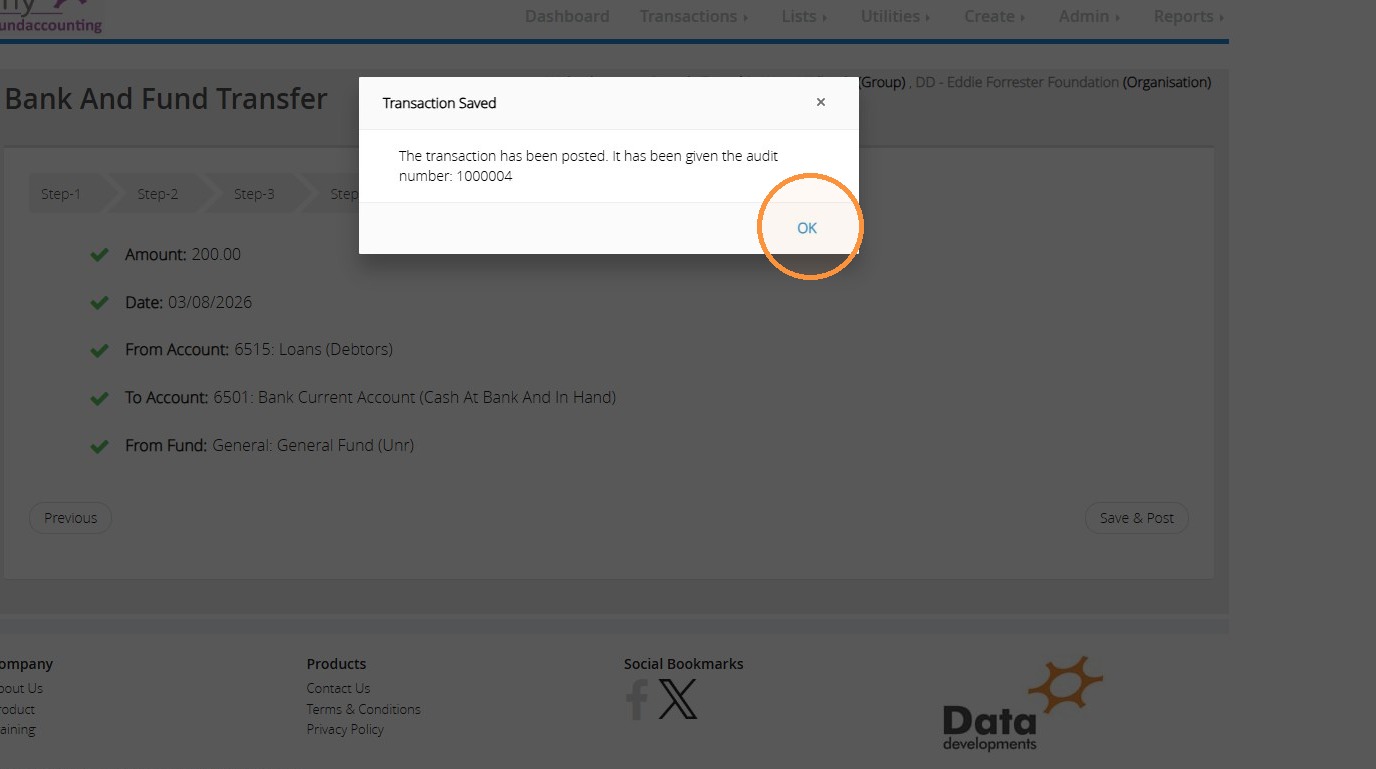
36. A message will pop up assigning an audit number to your transaction. Click "OK" to dismiss the message.
">
37. This transaction records the funds as being paid into the bank account, ensuring your bank reconciliation remains accurate. At the same time, the balance against the Debtors code is reduced, providing an up-to-date record of the outstanding loan amount and ensuring that the remaining balance due for repayment is reported accurately.
Tip: We hope you found this guide helpful and easy to follow. If you require any further assistance, please contact our support team by telephone on 01902 714030 or by email at support@datadevelopments.co.uk